Forum Discussion

Log Ingestion via Logstash - Custom table
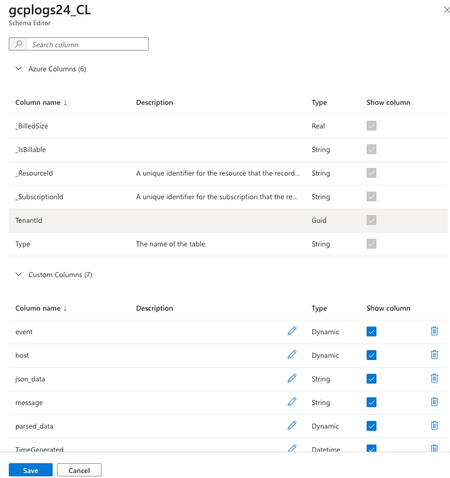

Hi - let's walk backwards a second.
You have a schema setup. Did you do this through a DCR, or manually creating the fields on the table?
If you didn't edit the DCR to create a transformKql segment, you'll want to use that - and it'll generate the fields for you. When you click on the three dots next to the table name, it'll give an option for "Edit Transformation". When you click that, it'll ask you to drop in a json file.
output {
    microsoft-sentinel-logstash-output-plugin {
        # The information below is for testing only… set to TRUE to output to a local json file when building the table.
        create_sample_file=> false
        sample_file_path => "/usr/share/logstash/output_to_host"
    }
}
Use the output above in logstash to have Microsoft give you the json file. You can then use that file, drop it in, and click "next". There you'll have to define "extend" fields to map each field to a name.
Keep in mind, when you create new fields (ie, | extend host = extract(...)), the table schema will append a "_s" or "_g" or some such at the end. This is normal, and nothing you can change. If you want it pretty, you'll need to use functions to remap each name to something without the _s / _g / _n / etc.
I found it harder to do Custom-SyslogStream than a normal custom table.
These links may be of use:
- https://learn.microsoft.com/en-us/azure/sentinel/connect-logstash-data-connection-rules
- https://learn.microsoft.com/en-us/azure/azure-monitor/essentials/data-collection-transformations-structure#kql-limitations