Forum Discussion

Script to automatic download for Setup.exe
Hello
Is there a scripts which automatically downloads the Setup.exe of Office ProPlus.
Thanks
J. M.
6 Replies
- Andrew PriceBrass Contributor
- Cian AllnerSilver Contributor
I was going to mention your script, as I remembered it from this post but when I went back to it and checked the link, it was offline. It would be great if you could add it to say TechNet Gallery, I'm sure it would get a lot of interest, though I understand if that's not what you are after.
- Andrew PriceBrass Contributor
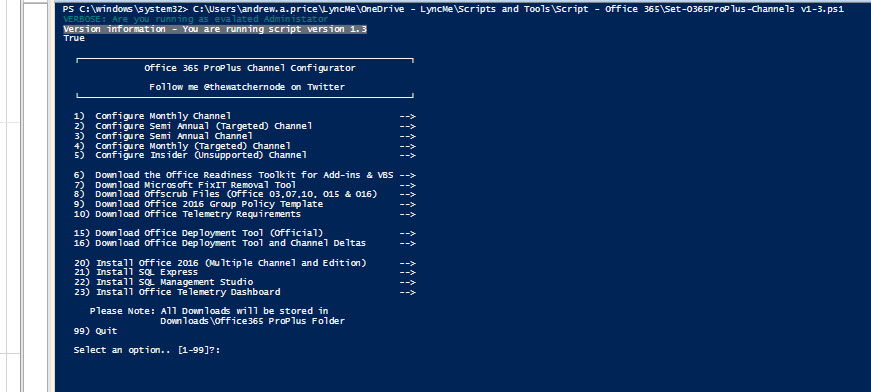
I have no plans to share on Technet but made it available on my OneDrive.
https://1drv.ms/f/s!AhKyKXN1ytefuuVbzQ6yHAV0DRHGFQ
Planning on making some future tweaks to the script over the next couple of weeks.
Andrew
- Andrew PriceBrass Contributor
Or you can script the download of the setup.exe using the following
# Download Official Deployment Tool
$DeploymentTool = "$env:USERPROFILE\Downloads\officedeploymenttool.exe"
$SourceDeployment = 'https://download.microsoft.com/download/2/7/A/27AF1BE6-DD20-4CB4-B154-EBAB8A7D4A7E/officedeploymenttool_8529.3600.exe'# Script Execution
$client = new-object -TypeName System.Net.WebClient
$client.DownloadFile($SourceDeployment,$DeploymentTool)
- Cian AllnerSilver Contributor
Not aware of a specific script but do check out https://github.com/OfficeDev/Office-IT-Pro-Deployment-Scripts/ and see if there is anything of interest.
Just generally, the Office 2016 Deployment Tool (ODT), can be downloaded from https://www.microsoft.com/en-us/download/details.aspx?id=49117 and easily configured with the new Office Customization Tool for Click-to-Run app, plus additional deployment guidance https://docs.microsoft.com/en-us/deployoffice/choose-how-to-deploy-office-365-proplus.