Forum Discussion

OfficeProPlus - "Update now" is always on for build 16.0.7167.2015
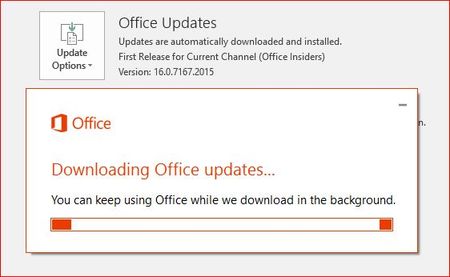

Hi Sergei, you could perform a quick repair of Office. This can be done in Program and Features in Control Panel. Right-click on the "Microsoft Office 365 ProPlus - en-us" and select "Change". In the pop-up, select Quick Repair. After it finishes, try updating again. Let us know if that resolves the issue.
Kind Regards,
Fred

Hi Fred Duarte, thank you for the advice. Both Quick and Full repairs using C2R didn't help, i fixed that using Office Deployment Tool. Even not actually sure ODT fixed that since since next build appeared in a day or two. 2026 as i remember, and now 16.0.7167.2036 is actvie. Anyway, the issue dissapeared. Most probably it was some bug in 16.0.7167.2015, but i'm not sure.
- Fred DuarteAug 12, 2016Former Employee
Thank you for the update SergeiBaklan. As a last resort, if uninstall fails for any reason, you use the following Microsoft Easy Fix found here:
Uninstall Office 2016, Office 2013, or Office 365 from a PC
Once the tool finishes, reboot and reinstall Office 2016.
Kind Regards,
Fred