Forum Discussion

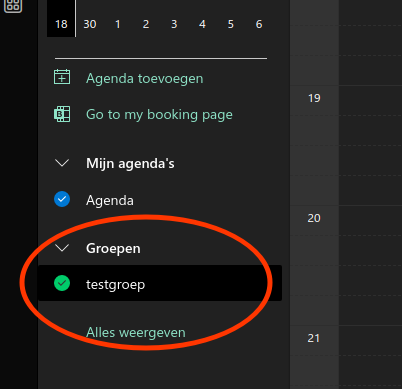
Changing the color of a group in calendar

LMA78_nl right of the name you should have 3 dots to open the menu where you can choose the preferred color:
The dots only appear when you hover over them. (or at least for me, they did)
 LMA78_nlApr 19, 2023Copper Contributor
Davy_A that's only for personal calendars, not group calendars. I see the dots at the personal or separate calendars
- Davy_AApr 19, 2023Brass Contributor
LMA78_nl Sorry, missed the group part. Doubt that's possible. If it's a Teams team, you could set a specific color for the meetings, but that's a bit cumbersome. If nobody else comes up with a way to change the color, you can always add it to the http://Sorry,%20missed the group part. Doubt that's possible. If it's a Teams team, you could set a specific color for the meetings, but that's a bit cumbersome. If nobody else comes up with a way to change the color, you can always add it to the feedback portal (https://feedbackportal.microsoft.com/feedback/) and hope it gets added in a future release. and hope it gets added in a future release.
- LMA78_nlApr 19, 2023Copper ContributorThanks, however the link to the feedback portal doesn't work .. this one i think https://feedbackportal.microsoft.com/feedback/forum/c91e3b73-951c-ec11-b6e7-0022481f80e8