Forum Discussion

Conditional Access and MCAS policies matching

mikkele My guess the match is made based on the controls in your session policy.
So I think you will have to scope your session policy to the same scope of your CA policy.
Kind regards
Louis

CA policy1 and CA policy 2 will both hit MCAS policy2
- LouisMastelinckApr 23, 2021Brass Contributor
mikkele
So I have done additional testing.
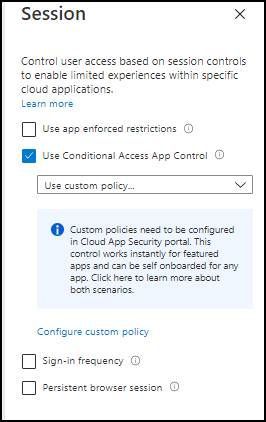
As soon you enable Conditional app access control all of the people who match the CA policy are forward to MCAS.
If the session control policy in MCAS had no group or user scope than it will apply all non scoped session control policies.
If you specify in the Session control policy the requirements then you will be able to scope them according to my tests.So I believe you will have to recreate your conditions as good as possible in MCAS.
- mikkeleMay 11, 2021Iron Contributor
LouisMastelinck thanks so much for your reply and drawing.
I can see the difference in your example is that you have 1 group in each CA (Marketing and HR)
Let's see if we have more than one group in a CA policy:
CA1:
Targets: Marketing
Scope: Teams
Session: direct to MCAS
CA2:
Targets: Marketing, HR, Sales
Scope: Teams
Session: direct to MCAS
MCAS session-policy-1Targets: Marketing
Action: prevent uploading files in Teams
MCAS session-policy-2
Targets: Marketing, HR, Sales
Action: cannot download sensitive files from Teams
My idea was to have a matching so that CA1 would hit only MCAS policy1 and CA2 hit only MCAS policy 2, but that's not the way it works I guess.
If I understand correctly CA1 will hit both MCAS-policy-1 and MCAS-policy2
I believe there is also an evaluation priority