Forum Discussion

Get Azure Joined Device Information using PowerShell
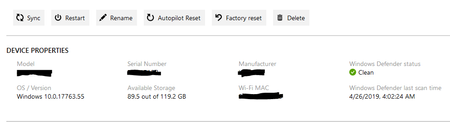

bjcls thank you for responding.
So far I was able get most the of information I'm looking for from an Azure Join device except:
- Recent Check-In (users that log into the device)
- group memberships for device
Thank You again for your help.
-Larry

EntilZha I'm glad I could help!
If you use the 'beta' schema instead of 'v1.0' (https://github.com/Microsoft/Intune-PowerShell-SDK#known-issues-and-workarounds) and you run the same command: Get-IntuneManagedDevice an extra value: usersLoggedOn is shown.
Update-MSGraphEnvironment -SchemaVersion 'beta'
This value shows an ID that you can lookup with the command: Get-AzureADUser -ObjectId
For your second question I've used a Graph API call, because I didn't find a command in this module:
$apiUrl = "https://graph.microsoft.com/beta/devices/$Deviceid/memberof"
$Data = Invoke-RestMethod -Headers @{Authorization = "Bearer $($Tokenresponse.access_token)" } -Uri $apiUrl -Method Get
$DeviceGroups = ($Data | select-object Value).Value
Or you could check the members of a group: Get-AADGroupMember instead of the group membership.
- jenstfSep 03, 2019Brass Contributor
bjcls EntilZha If you don't find the commands you are looking for in the Microsoft.Graph.Intune module you could just run Invoke-MSGraphRequest and use the complete MS Graph API
If you have already connected with Connect-MSGraph you don't have to spend multiple code lines getting an auth token and creating the correct header.
- EntilZhaAug 27, 2019Iron Contributor
bjcls again thank you very much..... it's obvious I'm new to using graph.
Should i run "Update-MSGraphEnvironment -SchemaVersion 'beta'" after I run Connect-MSGraph? Also, will this update command make any changes to my Tenant?
Thank You,
-Larry
- bjclsAug 27, 2019Brass Contributor
EntilZha You can switch between v1.0 and beta without any issues and it doesn't matter when you run the command. After you ran the command, you get a message telling you to run the: Connect-MSGraph: "WARNING: Call the 'Connect-MSGraph' cmdlet to use the updated environment parameters."
Switching to 'beta' has no impact on your tenant, it just switches to the beta version of Graph API where you have more options: https://docs.microsoft.com/en-us/graph/api/overview?view=graph-rest-1.0#other-api-versions
Also check out this website from TheLazyAdministrator: https://www.thelazyadministrator.com/2019/07/22/connect-and-navigate-the-microsoft-graph-api-with-powershell/ It helped me a lot on how to connect to Graph API using powershell, that way you have even more options 😉
