Forum Discussion

[FIXED] How to prevent sign in page from asking new users for additional security verification
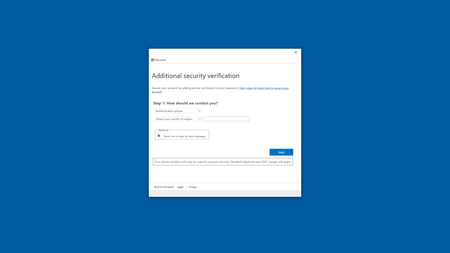

That's where you are getting MFA?

I'm trying to log in on the page I showed in my screenshot above, Windows 10 settings.
also MFA is disabled for all my accounts
 CloudHalNov 11, 2019Iron Contributor
HotCakeX this could be either Security Defaults (See https://aka.ms/securitydefaults for more info) or Azure AD > Conditional Access (unlikely if you have not configured this).
Also look in Azure AD > Sign Ins and look at the logins, click on Conditional Access and it will say if any policies were applied.
Also FYI that page which shows if MFA enable or no always shows disabled if MFA is enforced through either of the above methods.
 AdrianStanislawskiMay 13, 2020Copper Contributor
CloudHal I had the same issue and you suggestion helped. Thanks!
Azure AD -> Properties -> https://portal.azure.com/# and disable Security defaults.
 Charlie_WSLMar 23, 2021Copper Contributor
I have disabled Azure >> Properties >> Manage Security defaults >> set to "No"
and i'm still being prompted with a 2fa when enrolling a new device.
How can I turn of 2fa for my entire organization in O365 and Azure. We use a different IdP and have 2fa turned on with that platform and do not need it in Microsoft.
- HotCakeXNov 11, 2019MVP
Hi,
thank you, that FYI is also very helpful
in my AAD sign-ins, I get this
"To see sign-in data, upgrade your organization's subscription to include Azure AD P1 or P2. Your current license status: Azure AD Free"
I activated E5 enterprise plan trial and now I can see the list, in the conditional access column, it says "not applied", for all of them
also in the ADD conditional access, all of them are off.is it possible that Windows insider program has something to do with this?