Forum Discussion

HotCakeX
Nov 10, 2019MVP
[FIXED] How to prevent sign in page from asking new users for additional security verification
Update: thanks for all the suggestions, I figured out it was the Windows insider that was causing it. when I installed Windows 10 build 1909 on a Hyper-V VM and signed into it during installation us...

Thijs Lecomte
Nov 11, 2019Bronze Contributor
Are you enrolling them into Intune?
If so, you should disable Windows Hello for Business.
Intune - Device Enrollment - Windows - Hello for BUsiness- put it to disabled.
If so, you should disable Windows Hello for Business.
Intune - Device Enrollment - Windows - Hello for BUsiness- put it to disabled.
- HotCakeXNov 11, 2019MVP
Hi,
I did what you suggested but it's still asking for phone number.
the user I created is a normal (non-Administrator) user and password reset self service is set to "none".
I'm using the Microsoft 365 Business Trial.
the Windows 10 that I am trying to sign in into has already a local administrator (an outlook.com personal account).
also I am using Windows 10 insider fast ring build 19018.
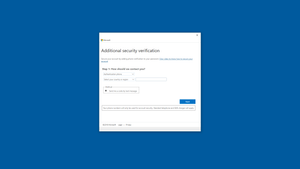
this is where I am trying to sign in.
- Thijs LecomteNov 11, 2019Bronze ContributorSo you are trying to log into the new account page?
That's where you are getting MFA?- HotCakeXNov 11, 2019MVP
I'm trying to log in on the page I showed in my screenshot above, Windows 10 settings.
also MFA is disabled for all my accounts
