Forum Discussion

Deleted
Sep 05, 2017Not applicable
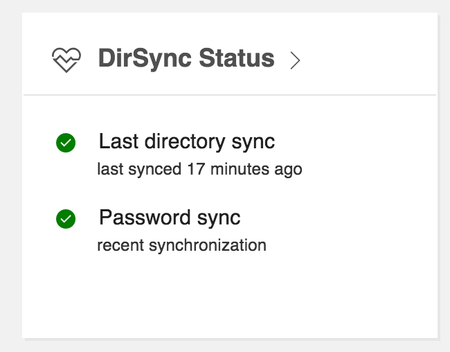
Error with Azure Active Directory Connect Health
Hello Team, Today I successfully integrated On-prem AD with Cloud AD. I have verified that changes/additions made on Local AD are being synced to Cloud AD. So sync is working fine. In my Of...
Deleted
Sep 07, 2017Not applicable
I have the license for Azure Active Directory P1. Is that enough for this to work?

amit kalia
Sep 11, 2017Tin Contributor
Hi ,
Please check the below as per the same article first agent requires at least one AAD Premium and each additional registered wil require 25 more ......hope this helps
Q: How many licenses do I need to monitor my infrastructure?
- The first Connect Health Agent requires at least one Azure AD Premium license.
- Each additional registered agent requires 25 additional Azure AD Premium licenses.
- Agent count is equivalent to the total number of agents that are registered across all monitored roles (AD FS, Azure AD Connect, and/or AD DS).
Licensing information is also found on the https://aka.ms/aadpricing.
Example:
Registered agents Licenses needed Example monitoring configuration
| 1 | 1 | 1 Azure AD Connect server |
| 2 | 26 | 1 Azure AD Connect server and 1 domain controller |
| 3 | 51 | 1 Active Directory Federation Services (AD FS) server, 1 AD FS proxy, and 1 domain controller |
| 4 | 76 | 1 AD FS server, 1 AD FS proxy, and 2 domain controllers |
| 5 | 101 | 1 Azure AD Connect server, 1 AD FS server, 1 AD FS proxy, and 2 domain controllers |
- DeletedSep 11, 2017Not applicable
The problem was indeed linked to my licensing. Thank you for pointing it out.
I was under Microsoft Business License, and Azure P1 comes only for Enterprise editions.