Forum Discussion

Benefits to Azure AD registration for Windows 10 clients O365 sign-in - Would you recommend it?
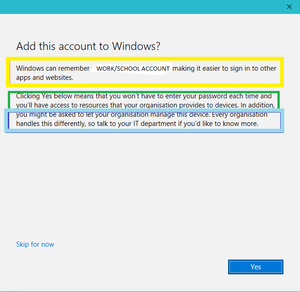

Richard TinkerWay late response, but no, I would highly highly recommend staying away from Azure AD registration as much as possible. It's basically opening up an enormous security hole and its offensive that this cannot be disabled when you use MDM with Office365. Even worse they offer no way to clean up stale devices that have been registered except through obscure powershell backend commands.
Here's my issue with this "feature":
1. It lets any unmanaged computer that registered in Azure AD unregulated access to Office365 for up to 90 days without requiring any form of authentication. All they need is a working user account.
2. Because you are registering with a company user account, the login to that unmanaged computer bypasses any password policies your AD domain might have.
What we experienced is that Azure AD registered devices can fully access all our Office365 resources, even if the account they are using has an expired password due to the 90 day free-for-all access. To make matters worse, you are leaving the control up to the user -- admins cannot disable this ridiculous feature if they are using any form of Office365 MDM (Intune or the standard one). I even opened a support ticket to disable this garbage but got nowhere after being ping-ponged between the Azure and Intune team.
So I would block registration if you have that option still available to you. Whoever thought this was a good idea should be required to sit through a weeks worth of security best practices. Even if a device is registered in Azure AD, we still have no control over it. Admins can disable or delete the device, but all this does is require them to reregister and they are good to go again.