Forum Discussion

Am trying to create group with dynamic user membership using attribute "Employee Type"
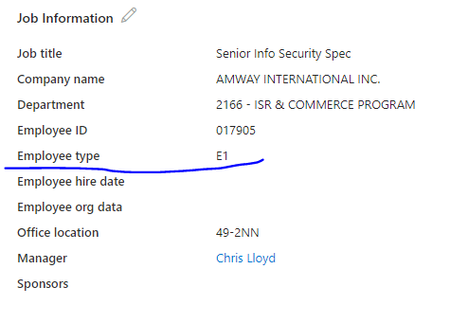

You don't need to create a custom attribute. The Employee Type field is already a supported user attribute for dynamic group membership.
You can create a dynamic membership rule like:
(user.employeeType -eq "E1")
or, for multiple values:
(user.employeeType -in ["E1","E2"])
If employeeType doesn't appear in the rule builder, switch to the Rule syntax editor and enter the rule manually.
If the rule still doesn't work, verify that the employeeType attribute is actually populated in Microsoft Entra ID and not just displayed from your HR source. You can check this by viewing the user in Microsoft Graph or running:
Get-MgUser -UserId <userUPN> -Property employeeType
or
Get-AzureADUser -ObjectId <userUPN> | Select EmployeeType
If the value is returned, the dynamic rule above will work. If it isn't, then the value isn't being synchronized to the Entra employeeType attribute, and you'll need to update your provisioning or synchronization configuration rather than creating a duplicate custom attribute.
If this resolves your issue, please consider marking the answer as the solution so it can help others facing the same problem.