Forum Discussion

gjayne84
Jan 31, 2024Brass Contributor
Copilot missing in Word, Excel and PowerPoint desktop apps
Hi everyone My company has recently purchased some Copilot for Microsoft 365 licenses, one of which was applied to my account on Monday. If I use Teams desktop app and the new Outlook desktop ap...

mcollis84
Jan 31, 2024Tin Contributor
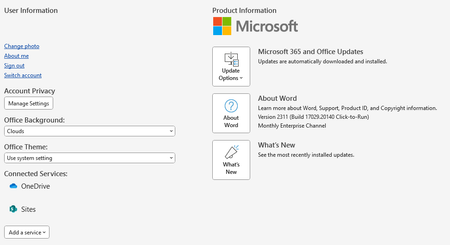
Mine is working now. I'm not sure exactly why. I did re-enable the Microsoft Store for my test user. I also allowed store apps to update (dont think this did anything as it was already up to date). I also logged out as my user (sign out from office app in top right, closed all office apps, rebooted). It appears in word now, and powerpoint. Excel didnt appear at first, but now it does. So either a timing issue, or had to sign out and back in maybe. I never got the "Update License" button to show. Also, others suggested adding add-in manually. I never saw it as an add-in in the add-ins store, and I still dont see it there as an installed add-in. Hope this helps.

gjayne84
Feb 01, 2024Brass Contributor
Thanks for the update and glad to hear it's working now. I've tried signing out and back into the Office apps and also rebooting this morning but still not showing up. I also don't see Copilot as an installable add-in anywhere.
When you say you re-enabled the Windows Store did you reinstall it or just disable access to it for the user and then re-enabled that?