Forum Discussion

Issue with Vision AI Developer Kit
- Oct 22, 2019
Thanks for the update. If the web pages doesn't open at all it typically indicates that the devices are not in the same network after all. Do you happen to have physical cable attached to your laptop? If yes, you'll need to disconnect and only use WiFi. I have seen that in those cases it still defaults to physical connection. The easiest way to get a picture out from the device is to use HDMI display. Do you have a chance to do that? It needs to be native HDMI, most adapters don't work.
Can you do "adb shell docker ps" with ADB and confirm that all four default modules are running? edgeAgent, edgeHub, AIVisionDevKitGetStartedModule and WebStreamModule

Have you checked your Azure IoT Hub to see if you have created a device there? What does it say about the modules? https://ms.portal.azure.com/ -> IoT Hub -> IoT Edge (from the side menu).
If you access the actual device what does this view look like to you?

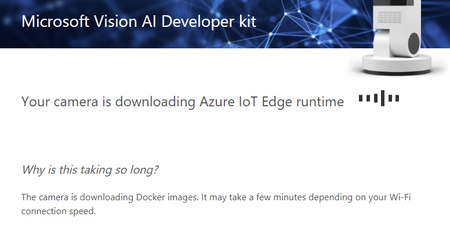
My problems are similar to Diaaala's problems. I tried one of your proposals and got the following notice: