Forum Discussion

Wizzkid
Jan 20, 2022Copper Contributor
Workspace Booking does not work on Mobile
Hi All, I have the possibility to book a workspace in OWA. I have did all the things in Powershell (Created room mailbox, room list, places metadata): But when I open Outlook...
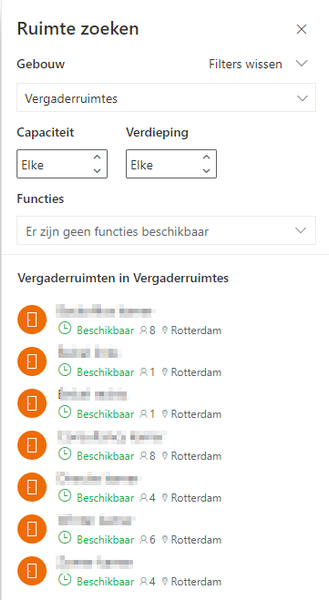

Wizzkid
Jan 23, 2022Copper Contributor
I also use IOS.
I contacted the Microsoft Support in the Outlook app and received the following response:
I don't think this is true?

JonasBack
Jan 24, 2022Iron Contributor
Wizzkid Well that could be the case. I read somewhere that the Workplace-booking is in Preview and we don't see many customers use it (yet) so maybe indeed this might be a limitation in the Outlook mobile apps - it might work for some but others not.
- JonasBackFeb 03, 2022Iron ContributorThese are all the steps I take:
New-Mailbox -Room -Name <name> -DisplayName "One desk" | Set-Mailbox -Type Workspace
Set-Place <name> -Capacity 12
Set-Place <name> -Building 'Building32'
(and all other attributes like -Floor, -City, -Country, -GeoCoordinates etc)
Then if not already created I create a group and add the workspace as a member:
New-DistributionGroup -Name "Bulding32" -DisplayName "Building32" -RoomList -IgnoreNamingPolicy -PrimarySmtpAddress "Email address removed"
Add-DistributionGroupMember -Identity "Bulding32" -Member <name>
One thing though I noticed tonight (Sine I've created more than 30 of these and conference rooms the last few days is that one building would not turn up in the OWA Room Finder for some reason... waited 48 hours, but still none. What I did was temporarily
Set-Place <name> -Building 'to something else'
and then immediately switched it back to:
Set-Place <name> -Building 'Building32'
Then immediately refreshing OWA and then the building turned up in the list. Probably a strange bug. - WizzkidFeb 02, 2022Copper ContributorYes I did all these steps. Can I double check it? What powershell command do I need to run for that?
- JonasBackJan 30, 2022Iron ContributorIn Outlook on IOS I do + and Book Workspace and the building turned up with the room. All I did was make sure to specify Set-Mailbox -Building and Set-Mailbox -Type Workspace and adding it to a Distribution Group which is a room list. Have you done all of these?