Forum Discussion

Wizzkid
Jan 20, 2022Copper Contributor
Workspace Booking does not work on Mobile
Hi All, I have the possibility to book a workspace in OWA. I have did all the things in Powershell (Created room mailbox, room list, places metadata): But when I open Outlook...

JonasBack
Jan 20, 2022Steel Contributor
In general when you make changes to the room stuff it can take a day or more before everything is up to date - just keep that in mind.
Did you create a Room List Distribution Group too?
Also, when using Outlook Mobil I hold the Plus-sign to get Book Workspace, do you do that too?
Did you create a Room List Distribution Group too?
Also, when using Outlook Mobil I hold the Plus-sign to get Book Workspace, do you do that too?
 WizzkidJan 20, 2022Copper Contributor
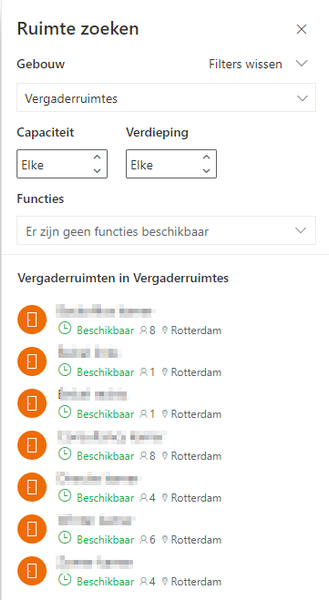
JonasBack We made the changes 48 hours ago and we still don't see the rooms in book a workspace. We did it with holding the plus-sign, but we can't select a building.
I think that I have created a Room List Distribution Group too. Where can I double check this?
- JonasBackJan 21, 2022Steel ContributorStrange, I don't see any Buildings at all in my Outlook Mobile app on IOS. Can you show some more screenshots?
Get-DistributionGroup | where {$_.RecipientTypeDetails -eq "Roomlist"}- WizzkidJan 21, 2022Copper Contributor
JonasBack I did the powershell command:
In outlook I choose book a workspace and then building location. This will not show anything..:
If I select "New Event" and select location it is showing one location:
If I type in "kamer" it will show more rooms, but it is not showing all the rooms in once, can I fix this also?