Forum Discussion

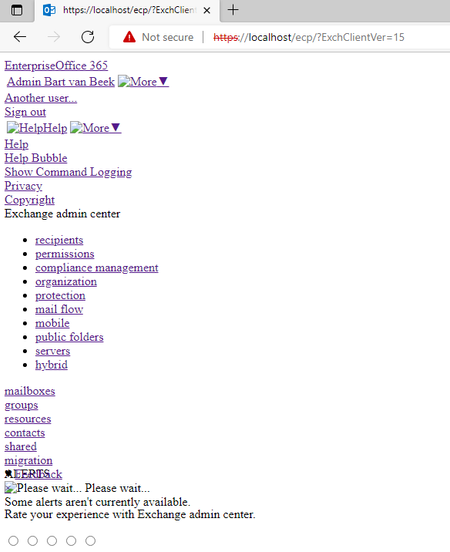
Exchange 2019 ECP broken after update

ThomasStensitzki-MVP
Thomas thank you already for the reply.
If I use the link as you mentioned, same result. A broken page.
There is only 1 port 443 binding on the default website
I don't really see any obvious errors in the W3SVC log file, but not sure what I should be looking for.
Eventviewer doesn't really contain errors for Exchange or the Web server logs.
Is there a way to rebuild the CSS files?

Have you figured anything out? I'm having the same issue, ecp page looks exactly the same.
- BDO_BvBAug 05, 2022Copper Contributor
Sadly no, I still have the same issue.
I have run the healthcheck script several times, reinstalled the update, rebuild the virtual directories, but no solution.Still looking online, but haven't found anything yet.
- Storm5TimeNov 14, 2022Copper Contributor
BDO_BvB Taking out the "/?ExchClientVer=15" part in the URL worked for me.
https://exchangeserver/ecp
 GavinMeerwaldDec 01, 2024Copper Contributor
Apreciate this topic is now quite old but..
Thank you! This also worked for me.
Absolutely stunned as this was a brand new install of Exchange (CU14) on a freshly built server (Server 2019).
ECP was fine until a few reboots later and then gave the 'bad CSS' layout page after logging on.