Forum Discussion

Double booking of rooms in Office365

We actually do not want it to double book and I assumed from the settings that it would reject one of the requests but the room auto accepted both invites.
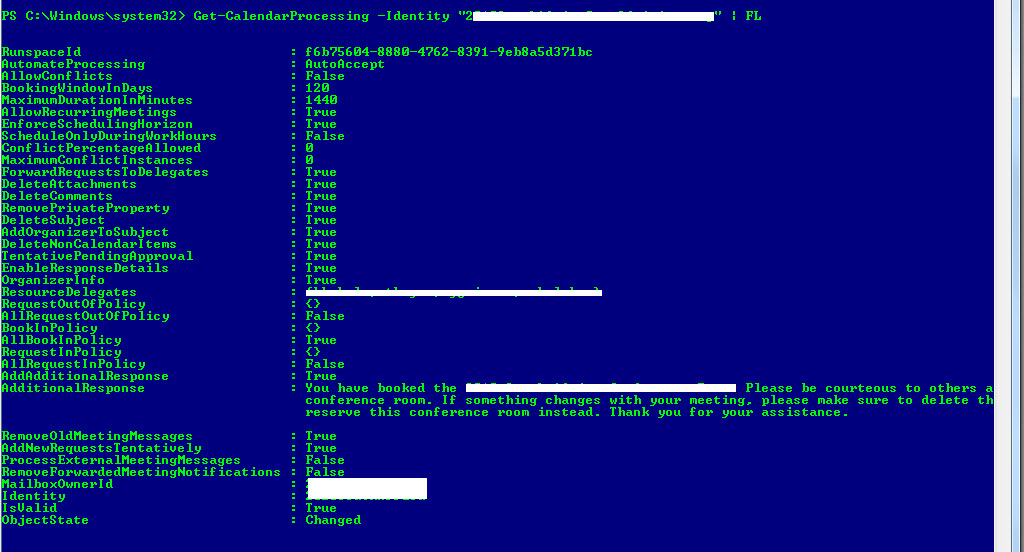

Ever find an answer for this issue? This just started happening to here, and these were not recurring meetings.
- MichelleProperApr 23, 2018Brass Contributor
We didn't find one that would work for us. We set our rooms to deny the series if the resource wasn't available for any of the meetings. It is harsh but it seems to have solved the double booking issue. We decided it was better than the confusion caused by the double booking.
We also are changing the responses from the rooms to say "Be sure you received the acceptance from the room, until you have that, the room is not booked."
I am wishing that the calendar invite would keep all the meetings if the room is available and only decline if the room is busy. Maybe someday.
Sorry I couldn't be of any help to you.
- Zyg_at_SumatraOct 19, 2022Copper Contributor
We actually wrote a PowerShell cmdlet that checks for double bookings on a resource and then notifies both meeting organizers. I know this post is a few years old but if anyone wants to try it out please contact us and we'll let you give it a go. MichelleProper
- MichelleProperOct 19, 2022Brass ContributorWe haven't seen the issue, but we haven't been in the office that much. I could see this popping back up. Would you mind sharing the cmdlet please?