Forum Discussion

Admin account gets a mail from all recieved mails from everyone in the domain
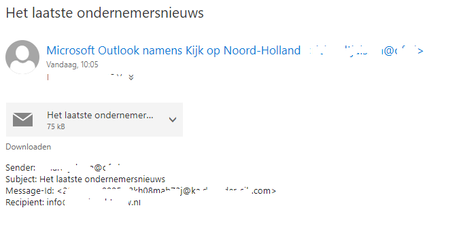
 Sep 11, 2023It's possible these are journal messages (my Dutch isn't great so I'm doing a bit of guessing!), which are either configured under the mailbox database properties (under Maintenance) or under Compliance management in the Exchange Admin Centre.
The only other option I can think of if you've ruled out transport rules is that forwarding is configured on the mailboxes themselves. You can check this by running Get-Mailbox | select name,*forward*

Hi Schrudcher,
can you check if you have a Tranport rule set up in Exchange Admin Center (Online or on-prem) that the Admin recieves Email notifications for all incoming emails (to control the flow of email messages within an organization).
You can check this in Exchange admin center (https://admin.exchange.microsoft.com) --> Mail flow --> Rules
Manage mail flow rules in Exchange Online | Microsoft Learn
Mail flow rules (transport rules) in Exchange Online | Microsoft Learn
Please click Mark as Best Response & Like if my post helped you to solve your issue.
This will help others to find the correct solution easily. It also closes the item.
If the post was useful in other ways, please consider giving it Like.
Kindest regards,
Leon Pavesic
 SchrudcherSep 11, 2023Copper Contributorthanks for the fast replay,
I am sorry for the confusion i may have created, but we do not use exchange online but exchange 2019 on site (in the house)
I do not have any rules i can see in the ECP center.
I do not know how i can find, show the rules in the PS-shell for exchange.
With regards.- LeonPavesicSep 11, 2023Silver Contributor
Hello Schrudcher,
thanks for the update:To check all transport rules in Exchange Server 2019 using PowerShell, you can use the Get-TransportRule cmdlet. Here's how you can do it:
1. Open the Exchange Management Shell (EMS):
- Log in to your Exchange Server and open the Exchange Management Shell from the Start menu and run it as an administrator.2. Run the PowerShell Command:
Get-TransportRule
This command will display a list of all transport rules configured in your Exchange Server 2019 environment.
You can also use this command if you have some active rules to see the details of itGet-TransportRule -Identity "<RuleName>" | Format-ListPlease click Mark as Best Response & Like if my post helped you to solve your issue.
This will help others to find the correct solution easily. It also closes the item.If the post was useful in other ways, please consider giving it Like.
Kindest regards,
Leon Pavesic
- SchrudcherSep 11, 2023Copper Contributor
hello Leon,
Thanks again for the quick replay, its just me who is a little late (slow)
I did what you asked me to do to check the rules but there are no rules or do i some thing wrong.
this is the box of the ex-psshell.