Forum Discussion

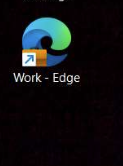
'Work - Edge' Desktop Shortcut Reappears after deleting and reopening Edge Browser
- Aug 29, 2023
Hi Everyone - The fix for this was released to Microsoft Edge Beta Version 117.0.2045.12. If you have access to the Beta Channel, please test and let us know if the issue has been resolved.
The fix should also be included in the next Stable release, which should be later this week if there are no delays. Thanks!
-Kelly


 Microsoft
Keith_B2023 Robert_T2000 Thank you both for the detailed descriptions! After updating to Version 116.0.1938.69, what is the name of the new shortcuts being created? Is it Work – Edge or something different? If you have a screenshot, that would be great as well.
-Kelly
 Robert_T2000Sep 07, 2023Brass Contributor
Ours is "Work - Edge" + the computer name once or multiple times depending on how many copies are created.
Work - Edge-COMPUTERNAME
Work - Edge-COMPUTERNAME-2
Work - Edge-COMPUTERNAME-COMPUTERNAME
Work - Edge-COMPUTERNAME-COMPUTERNAME-2
Work - Edge-COMPUTERNAME-COMPUTERNAME-COMPUTERNAME
Work - Edge-COMPUTERNAME-COMPUTERNAME-COMPUTERNAME2
etc.Version 116.0.1938.69 (Official build) (64-bit)
I should note this does not always occur. I have consistently been able to recreate if I'm signed on to two computers linked with OneDrive and close Edge at the same time (within a few seconds of each other).
- Keith_B2023Sep 07, 2023Tin ContributorIf you remove those shortcuts from your computer AND from ONeDrive, do they come back in version 116.0.1938.69? I feel you may be dealing with 2 different problems. 1. Edge created these annoying shortcuts. 2. OneDrive is now replicating them around for you.
- Robert_T2000Sep 07, 2023Brass ContributorYes but only occasionally. I can successfully recreate the issue if I close Edge on two different computers and the same time. Essentially, Edge is creating the shortcut at the same time on both computers and it's locked by the creation process so the one Edge needs to make a shortcut with an altered name.
 Shredwerd009Sep 07, 2023Tin Contributor
Kelly_Y
Here is a screen shot of the icons. As you can see, there are a few differently named ones."Work - Edge-"
"Profile 1 - Edge-"
"Microsoft Edge-"
the last one i mentioned isn't in the screen shot but I have seen that one as well.
Hopefully this helps you guys.- Kelly_YSep 07, 2023
Shredwerd009 Thank you! I'm going to pass this information along to our developer. Just to confirm, the screenshot is from right after you updated to Stable Version 116.0.1938.69?
-Kelly
- Shredwerd009Sep 08, 2023Tin Contributor