Forum Discussion

Why this policy is producing error? Configure new tab page URL
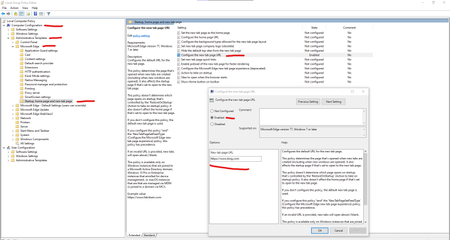

Gunnar-Haslinger wrote:HotCakeX Your machine needs to be MDM-Managed or AD-Joined, otherwise you get a "this policy is blocked" Error.
Workaround for non-MDM-Managed an non-AD-Joined Devices, have a look at my Blog-Post:
https://hitco.at/blog/apply-edge-policies-for-non-domain-joined-devices/
Thanks, I just finished reading your blog post, It is a workaround on those specific Windows versions but there are things that need to be considered:
- I'm using Windows 10 20H2 (release preview) and it might/might not work with those registry keys. and I don't want to use them in case it conflicts with something else somewhere in Windows that is still undocumented or just simply unknown.
- Windows 10 is always changing and evolving, this solution is a brute force method to achieve what I want.
I would rather have an explanation to know at least why this requires a domain controller or MDM to work. after all, what I was doing is just a test and I didn't want to fire up any servers to do a simple task like that, but apparently, I need to.
so again, these 3 are my main concerns and I want Edge team to consider as feedback and change the behavior (if possible) in the future:

I'm using Windows 10 20H2 (release preview) and it might/might not work with those registry keys. and I don't want to use them in case it conflicts with something else somewhere in Windows that is still undocumented or just simply unknown.
HotCakeX my Solution is successfully tested with newest 20H2 Insider Build and newest Dev-Channel of Edge too (just updated/added Version Information in my Blogpost)