Forum Discussion

Theme defaults to "light" vs "system default" when signing in or declining to sign-in
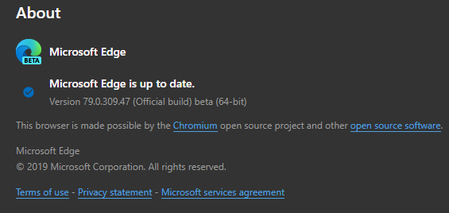

It would really bum me out to disable setting up sync on first run, although I'm not forcing to setup sync and can easily be skipped. And when if first launches its clear that is set to system default (screenshots), but as soon as you skip sync or sign-in either way it will auto switch to light for no obvious reason. Why default to "light" when there is a system default option that it SHOULD obviously default to. It's just a trivial bug but annoying me a great deal.

trandall I agree, sync is an awesome feature to have and I'm not suggesting you disable it; it's more a test to validate the behaviour of the FirstRun experience when sync is out of the picture. If Edge still had the "Light theme" when sync was disabled then it may be something local, or at least nothing in your sync profile. If it WAS stored in your sync profile then I'd have suggested to modify the theme back to "System Default", verify the sync has taken place in "Last Synced" within edge://sync-internals/ and then try your testing again on a clean windows profile.
By the sounds of it something sounds amiss - if it's any help I run the follow PowerShell to clear out all Edge references in the local user profile for all my testing:
# Kills procs
Get-Process *msedge* | Stop-Process -Force
Start-Sleep -Seconds 1

$EdgePaths = (
    "$env:LOCALAPPDATA\Microsoft\Edge Beta",
    "$env:APPDATA\Microsoft\Edge Beta",
    "HKCU:\Software\Microsoft\Edge Beta",
    "$env:LOCALAPPDATA\Microsoft\Edge Dev",
    "$env:APPDATA\Microsoft\Edge Dev",
    "HKCU:\Software\Microsoft\Edge Dev"
    )

Foreach ($i in $EdgePaths) {
    If(Test-Path $i) {
        Write-host "Removing $i" -ForegroundColor Cyan
        Remove-Item -Path $i -Recurse -Force
        }
}