Forum Discussion

[solution found] Edge canary Bug, Stuck with msg: "Your browser is managed by your organization"
- Jul 24, 2019
Okay found the fix myself after watching lots of Youtube vids about the same problem in google chrome. the process is basically the same, just in a different registry branch.
so basically for some unknown reason Edge canary made this registry key automatically. I don't know why, I hope Edge team sees this and look into it.
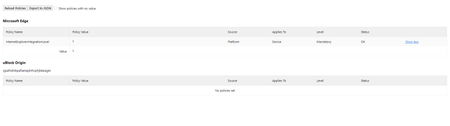
here's the troublesome reg key.
Again I've never touched Registry before for Microsoft Edge. but to fix the problem I just deleted that reg key.

- HotCakeXJul 24, 2019MVP
Okay found the fix myself after watching lots of Youtube vids about the same problem in google chrome. the process is basically the same, just in a different registry branch.
so basically for some unknown reason Edge canary made this registry key automatically. I don't know why, I hope Edge team sees this and look into it.
here's the troublesome reg key.
Again I've never touched Registry before for Microsoft Edge. but to fix the problem I just deleted that reg key.
- Tom_FoxAug 26, 2019Iron Contributor
When you apply policies through GPO, the appropriate reg keys are automatically created. This ensures that the policies are still applied even when you are not connected to your corporate network.
I agree this is not very clear, and I hope the Edge team can add an option to the Uninstaller to detect the keys and delete them if required.
- HotCakeXAug 26, 2019MVPHi,
thanks for the info. when the server applies a GPO the reg keys are created automatically on clients, right, but what if the server deletes a GPO? do the created reg keys automatically delete from clients computer as well?
