Forum Discussion

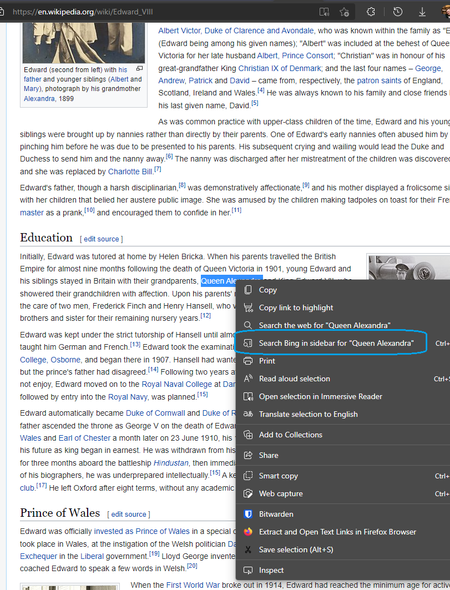
Remove 'Search Bing in sidebar' using policy, startup flag or registry
 Mar 04, 2024
Hooray! Once the https://www.microsoft.com/en-gb/edge/business/download?form=MA13FJ Definitions https://learn.microsoft.com/en-us/deployedge/configure-microsoft-edge#add-the-administrative-template-to-an-individual-computer, you can set it as follows. I have set it at the Computer Configuration level in this case.
Super happy this has been implemented!

 Microsoft
Yes, hooray, finally we're free from Search Bing in sidebar right-click context menu tyranny.
Set-ItemProperty -Path 'HKLM:\SOFTWARE\Policies\Microsoft\Edge' -Name 'SearchInSidebarEnabled' -Type DWord -Value 2
May need to give it a kick with gpupdate /force or wait for the next 90-minute group policy refresh for it to take effect.

I made a .reg file to disable both the Bing button and the Sidebar options in right-clicks.
https://drive.google.com/file/d/1slL3sHuWLLrV5nqWEvggXGt2PcuAtptt/view?usp=sharing
After importing, navigate to "edge://policy/" and reload policies.
Cheers.
 FriendlyfireJul 14, 2023Copper ContributorThank you so much for the Registry file. It absolutely works without even reloading policies.
"Search Bing in Sidebar" option in the Context Menu is finally gone at last.