Forum Discussion

Possible bug - unable to disable Sidebar/Discover in Edge 111.0.1661.44

 Microsoft
AndrewSAIF Hi! In Microsoft Edge v111, Admins do not have the ability to disable Discover and keep the Sidebar.
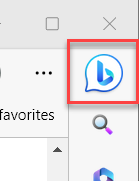
I've spoken to the team and they have confirmed your findings. In v111, if the HubsSidebarEnabled policy is set as disabled with Recommended level, the settings page shows gray out where users can not toggle on to show sidebar (this is same as previous Microsoft Edge version), users can still get back sidebar by hover/click the Bing icon in the toolbar.
If Admin disabled HubsSidebarEnabled policy with Mandatory level, both sidebar and the Bing icon in the toolbar will be invisible (users cannot get back sidebar).
There are additional improvements planned for v112, additional information can be found in Release Notes: Microsoft Edge release notes for Beta Channel | Microsoft Learn. Thanks!
-Kelly

Kelly_Y
It looks like the feature slider is no longer bugged when the sidebar policy is set as Recommended after updating to 111.0.1661.54:
However, disabling the sidebar with this recommended policy still does not hide Discover:
There does not appear to be a separate policy to hide Discover, besides the one that was obsoleted in v105.
Disabling the sidebar by setting the policy as mandatory does hide Discover. So this is still my only option at this point, unless there are plans to address this inconsistency before v112 Stable releases. The behavior I describe above is identical in beta 112.0.1722.23.
Thanks,
Andrew
- Kelly_YMar 31, 2023
AndrewSAIF Hi Andrew - There was an update we released in Stable Version 111.0.1661.54 (Microsoft Edge release notes for Stable Channel | Microsoft Learn). With this release, admins now have the ability to disable the Discover app and still keep the Sidebar.
The Bing icon/Discover app can be removed via the following policy.
HKEY_LOCAL_MACHINE\SOFTWARE\Policies\Microsoft\Edge\ExtensionInstallBlocklist
1 = "nkbndigcebkoaejohleckhekfmcecfja"
The extension IDs associated with individual sidebar apps can be found here: edge://sidebar-internals.
Thanks!
-Kelly
- AndrewSAIFMar 31, 2023Iron ContributorThanks Kelly. I appreciate the alternate suggestion here. However, this thread is about unexpected behavior setting these polices as Recommended. The ExtensionInstallBlocklist policy cannot be set as recommended per its documentation unfortunately. So I'm still stuck setting a mandatory policy somewhere unless I want either the sidebar or the Bing icon to suddenly appear for all of my users when we roll out 112. Either disable the sidebar as mandatory, or block this extension as mandatory.
I appreciate the effort trying to find workarounds, but unless I am misunderstanding the intent here, the policies are still not working as intended in Stable and Beta.
Andrew