Forum Discussion

New tab logo - GPO
 Jan 15, 2020
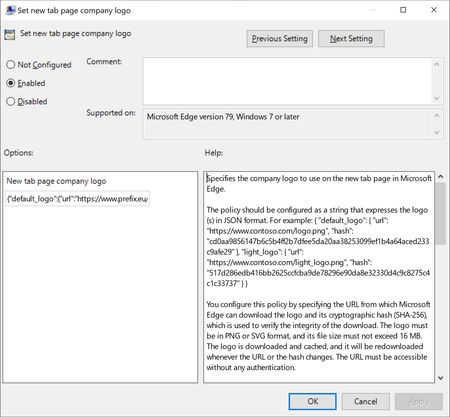
LBXComputers thanks for checking in! If you're using the Enterprise new tab experience then you can configure your company logo to appear on that page via the online admin center. You can read more about how to do that here: https://docs.microsoft.com/en-us/office365/admin/setup/customize-your-organization-theme?view=o365-worldwide
Please let me know if this is a good solution for you, or additional feedback if not. Thanks!

LBXComputers What I found is that applying the GPO cleared the existing DOMAIN\User profile and allowed me to sign in to an AAD instead. But the GPO had to be applied to the PC first for this to happen.
Be sure to do it in both the Computer and User admin templates on the GPO, it may not work correctly if its not on both.
