Forum Discussion

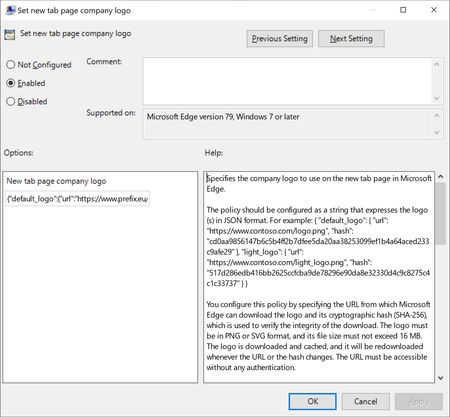
New tab logo - GPO
 Jan 15, 2020
LBXComputers thanks for checking in! If you're using the Enterprise new tab experience then you can configure your company logo to appear on that page via the online admin center. You can read more about how to do that here: https://docs.microsoft.com/en-us/office365/admin/setup/customize-your-organization-theme?view=o365-worldwide
Please let me know if this is a good solution for you, or additional feedback if not. Thanks!

Avi Vaid I am experiencing the same thing. My PC is locally domain joined, and I'm signed in to it with a domain account. But we are also on Office 365, so AAD is available. My suspicion is that if my PC were initially AAD joined instead instead of local domain joined, the problem might not occur, but I'm not certain of that.
My post (a few posts up from this one) details how I used GPO's to get around this issue. But it was impacting all of our end users.

- LBXComputersJan 22, 2020Brass ContributorI put it at computer level. I’ll try at user level tomorrow
- TI_MasterJan 22, 2020Copper Contributor
LBXComputers What I found is that applying the GPO cleared the existing DOMAIN\User profile and allowed me to sign in to an AAD instead. But the GPO had to be applied to the PC first for this to happen.
Be sure to do it in both the Computer and User admin templates on the GPO, it may not work correctly if its not on both.