Forum Discussion

IE Compatibility Mode Pop-up Issue
 Oct 28, 2020
I'm sorry that I never came back to give an update. Microsoft Premier Support spent a lot of time helping me. We ran all sorts of trace tools and gathered logs. Unfortunately, my problem lies with the third-party application developer. Microsoft cannot see into the developer's ActiveX code, but they believe that it includes a window.focus command for both the application and its pop-up. They think that the two get in a race condition and the IE window is winning which hides the pop-up.

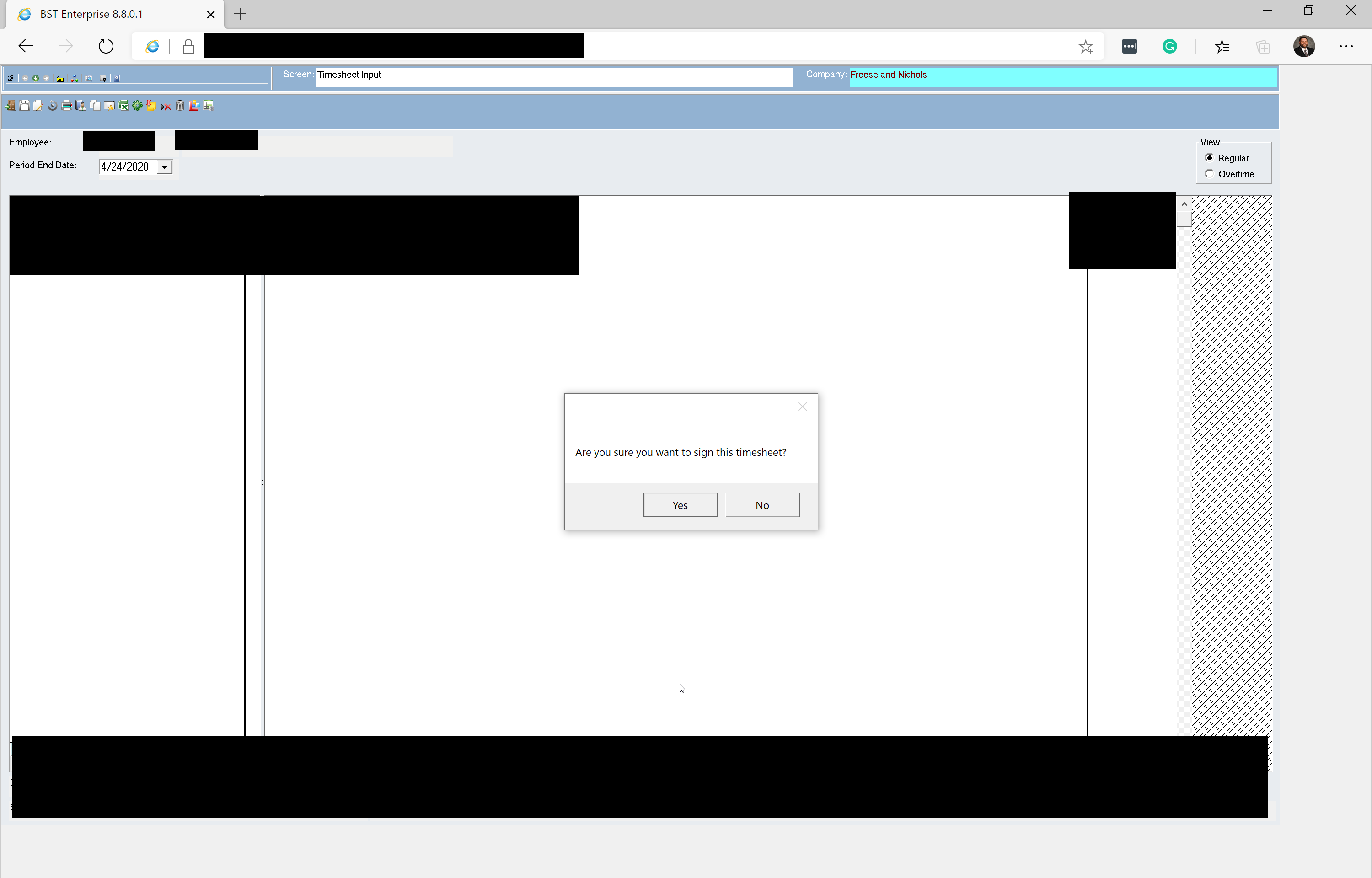
ssmole5, Here are some screen captures. When I click Sign Timesheet, a window pops up to ask me if I am sure I want to sign. I cannot see the window unless I bring it to the front with Task Manager.



 Microsoft
Can you confirm that the dialog is initially showing behind Edge? That's a symptom I've never heard of before so I wanted to double-check, I've heard of similar issues where the dialog shows in front of Edge but ends up behind if you alt + tab away and back again. We have a fix for a related dialog issue reaching canary builds next week, but it doesn't sound like the same issue after clarifying the details.
You say "The pop-up is not modal." but "Edge is completely frozen including the minimize button", which either means the popup is modal or Edge is hanging after showing the popup. In standalone IE, when the popup is shown can you minimize IE (or switch tabs or anything)? If not, than I would consider it a modal dialog 😀.
Assuming the dialog is modal and it's showing up behind Edge, I would want to debug the dialog HWND styles & relationships (like the class of the owner) with spy++, or we could write a small program to dump it via winapi to identify the scenario a bit more for us. But that sounds pretty difficult to arrange. We can think about it for next week
- Michael GriffithApr 24, 2020Tin Contributor
ssmole5, Thank you for sticking with me.
I can see the pop-up for a split second before it disappears. I'm assuming it is behind Edge because clicking Bring to Front in Task Manager brings it back. I tried Internet Explorer, and I cannot click anywhere in IE while the pop-up is open. Please let me know if there is anything you want me to try.
- fixitbenOct 28, 2020Copper Contributor
Michael Griffith I am seeing the same thing with an active X application with pop up windows.
- Michael GriffithOct 28, 2020Copper Contributor
I'm sorry that I never came back to give an update. Microsoft Premier Support spent a lot of time helping me. We ran all sorts of trace tools and gathered logs. Unfortunately, my problem lies with the third-party application developer. Microsoft cannot see into the developer's ActiveX code, but they believe that it includes a window.focus command for both the application and its pop-up. They think that the two get in a race condition and the IE window is winning which hides the pop-up.