Forum Discussion

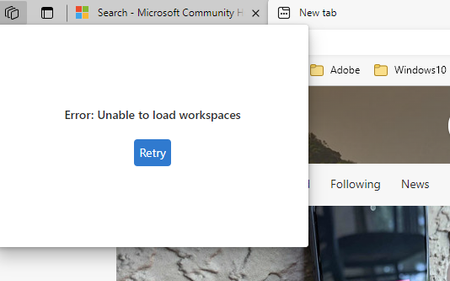
Edge Workspaces error V114

 Microsoft
Maurice_Jutten and anyone else experiencing an issue with Workspaces. Please try to remove the profile and then sign in again. If that doesn't work, then the next step is to submit diagnostic data through our in-browser feedback tool for the team to investigate. It's under "..." menu > Help and feedback > Send feedback. Please double check that "Send diagnostic data to Microsoft" is "Allowed", this will make sure the Workspace Internal logs are uploaded automatically with your feedback. Thanks!
-Kelly

Kelly_Y Hi,
I have this feature on Windows10 computers - is it officially recommended to run or is there any documentation , with official problems for Windows10?
- Kelly_YSep 27, 2023
Deleted Hello - The documentation for Microsoft Edge Workspaces can be found here: Microsoft Edge Workspaces | Microsoft Learn. If you are having issues or would like to provide feedback about Edge Workspaces, you can leave feedback by clicking the Like or Dislike button at the bottom of the Edge Workspace menu. These buttons are next to the question "Are you satisfied with Workspaces?".
-Kelly
- DeletedSep 27, 2023
Thank you only for some time I will start the synchronization then I will write a review.
Best regards
I do not waste time already synchronized 2 computers (yes it makes sense), for people who work on many computers, but I think that the security policy is a problem, and the risk of mistakenly sharing (it requires a lot of thought)
 garzajp93Jan 08, 2024Copper ContributorTHis issue just occurred to me after updating to the latest Edge, UGH! Why is there no fix for this yet?!
- Signing out and in did not fix
- Removing profile did not fix
- Restarting PC did not fix
- Reinstalling Edge dit not fix
- Resyncing profile did not fix
PLEASE HELP US FIND A CONSISTENT SOLUTION!