Forum Discussion

Edge Workspace Error: Unable to Load

 Microsoft
moalhaddad Hey! In another Workspace thread users have recommended removing/deleting your account and logging back into the browser. (Re: Edge Workspaces error V114 - Microsoft Community Hub) Is that what you tried or did you just try to sign out? Thanks!
-Kelly

Hello Kelly
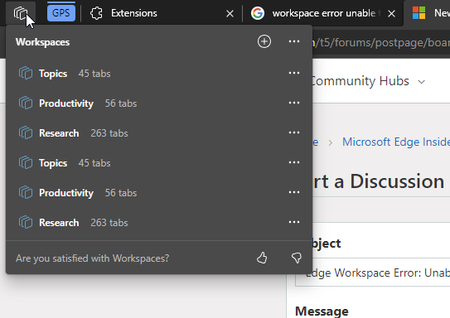
Previously I tried signing out and signing back in, this didn't work and caused duplication of the workspaces I created earlier.
Tried removing the account and re-adding the account, this removed the duplication but the error when opening the Workspaces is still there
- Kelly_YAug 17, 2023
moalhaddad Hi! Thanks for giving that a try! If that did not work, I think the best thing to do is reach out to Support (Support - Microsoft Edge Developer). They should be able to gather logs and other diagnostic data to help investigate your specific case.
-Kelly
 xandemonAug 25, 2023Copper ContributorBetter late than never - here is the solution that worked for me:
Turns out the problem was that my browser was not syncing so I removed my account, logged back in and voila... workspaces started working again
Original reference: https://techcommunity.microsoft.com/t5/enterprise/edge-workspaces-error-v114/m-p/3841174- IrajqureshiNov 27, 2023Copper Contributor
Thank you for this recommendation. It worked for me 🙂