Forum Discussion

Edge "configure favorites" GPO
Hi
I am noticing the GP "Configure Favorites" doesn't work as a user policy. It does apply at the computer level.
Tested using a working value, managed favorites folder and links appear if it's applied at the computer GPO but not at the user level.
I'd like to provide different favorites for different GPOs so applying at the user level would be handy.
Hello. I can't Agree with you. We provide several Favorites in User GPO without Problems. We use only User GPOs for whole Edge GPO Konfiguration.

5 Replies
 Chris-YueIron Contributor
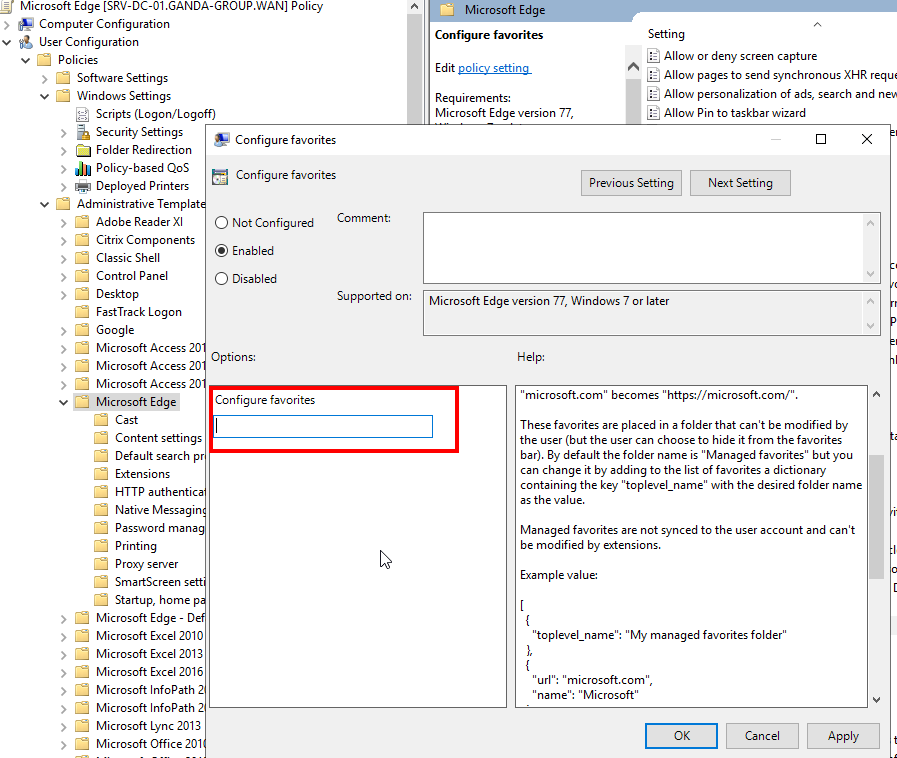
Can someone advise what needs entering into the Configure favorites field?
I guess this must refer to the file built out for the links but I am not sure on 2 counts:-
- Path syntax
- Extension of file name itself
Any advice would be great.
- Joachim_TIron Contributor
Hello. I can't Agree with you. We provide several Favorites in User GPO without Problems. We use only User GPOs for whole Edge GPO Konfiguration.
 wcsandBrass Contributor