Forum Discussion

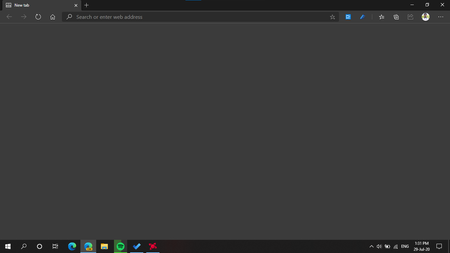
Tab freeze making the screen blank

Rohit Yadav I am still having this issue today on Edge Stable 87.0.664.47 (Official build) (64-bit). It's not due to a specific machine, because I have this issue on two different computers. I have disabled all my extensions, reset all flags etc. but nothing helps.
This problem occurs whenever I've had a window sitting idle for a while, so I'm fairly confident that it's related to tab freezing. I don't get the grey or blank screen right away. First, it shows the "frozen" contents of the web page at the point when it was frozen. When I switch between tabs and return to the frozen tab page, I get the same grey and blank screen. Curiously, the website 'underneath' the blank screen so to say is still functional. My cursor turns into a pointer, I can click links, and I can see the page <title> change. It just doesn't seem to repaint the window itself. I can fix the frozen screen by minimising a window, then bringing it back. However, you can image how frustrating this gets after having to do this for all your open windows for over a week.
I've read that tab freezing is disabled for web pages playing media content. As far as I can tell, that is not true, because my tab page with Spotify playing in the browser freezes as well, and so do online lectures (which have video).
I have not yet disabled hardware acceleration because I don't deem this to be a viable solution. Edge hasn't shown this behaviour in the past, and hardware acceleration is an important part of the performance of the browser.
I expect the STABLE build of a browser not to have these issues. I'm just trying to work. If I wanted to be your QA team, I would run Edge Insider.
Thank you.