Forum Discussion

Sync stuck at "setting up sync"
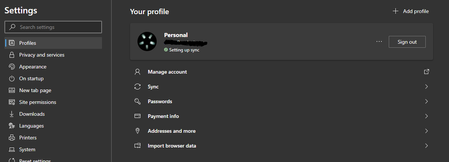

So I've been an Edge Insider since day one. I have always been stuck on "Setting up Sync" on every PC I've ever set it up on. The ONLY way it works is if I set it up on my MSA account. At work for obvious reasons I want to use my AAD account from o365. Why isn't this working?!!
I looked at the edge://sync-internals/# from both accounts and the AAD account has never successfully synced EVER. Please help.
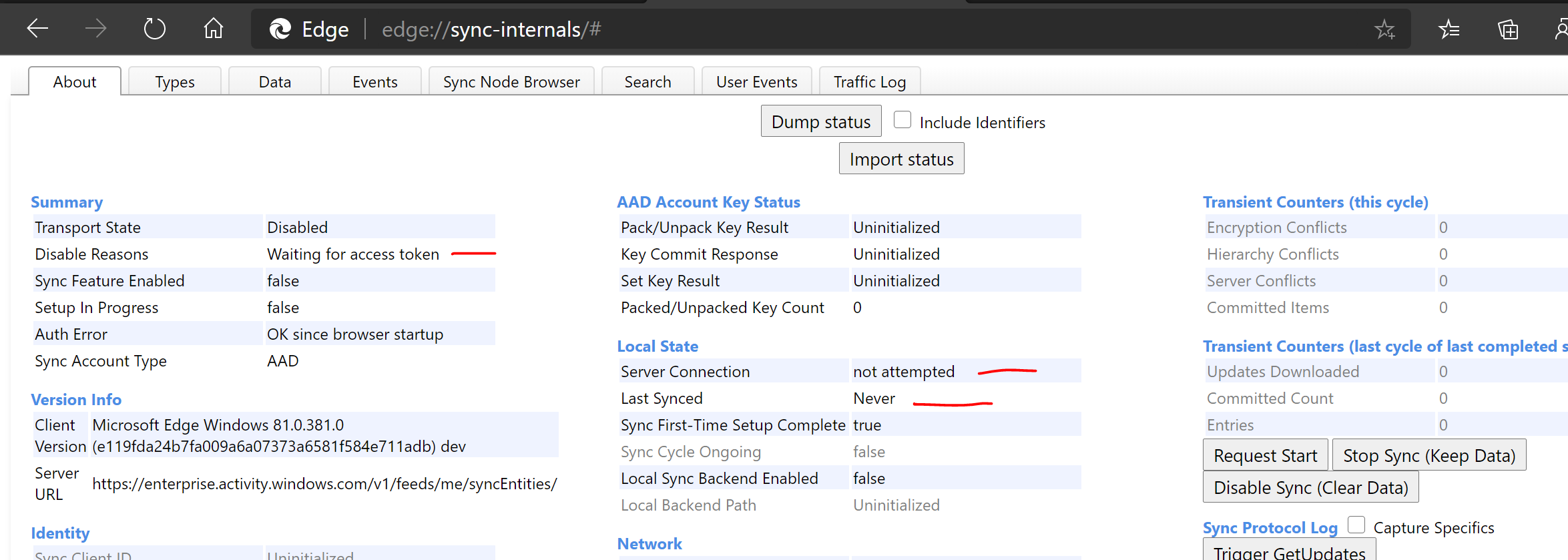

what's your Office365 plan? as far as I know sync requires enterprise state roaming
https://docs.microsoft.com/en-us/azure/active-directory/devices/enterprise-state-roaming-enable
- HotCakeXJan 09, 2020MVPYeah well, I'd upvote it if you post this feedback on uservoice https://office365.uservoice.com/
- ChrisRogersJan 09, 2020Copper Contributor
HotCakeX sounds like a money grab to me pure and simple. Free users don't get or need all the other things that AAD Premium offers I bet. And thuss they shouldn't bury a free feature into something piad that offers much more. We want to sync simple hyperlinks for cripes sake. Not credit card numbers....
- HotCakeXJan 09, 2020MVPYes I understand, something that is available for free should be also available to paid customers.
Enterprise state roaming has more features and gives more control over the synced data, that's probably why it's paid, but business premium subscribers should at least, in my opinion, have access to the same basic sync functionality that free MSAs have access to.
https://docs.microsoft.com/en-us/azure/active-directory/devices/enterprise-state-roaming-overview - ChrisRogersJan 09, 2020Copper Contributor
HotCakeX We are long time paying Office 365 Business Premium subscribers. This is absolutely maddening. We pay for this service and want to simlply sync favorites. No different than a user of the >>FREE<< MSA accounts. I sign onto my free MSA account, sync works like a champ. I sign into the account I pay MS for each month along with 32 other users... I'm screwed. Ridiculous.