Forum Discussion

[Solved] Google is blocking Edge from using google drive
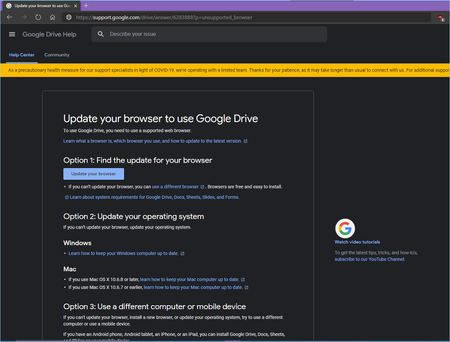
- Mar 24, 2020
User Agents are getting deprecated, they can't be completely removed considering the amount of problems it will cause for older legacy websites.
Freezing them will prevent the browser version from updating, similar to this:
Mozilla/5.0 (Windows NT 10.0; Win64; x64) AppleWebKit/537.36 (KHTML, like Gecko) Chrome/75.0.3764.0 Safari/537.36 Edg/75.0.131.0They will only be used to distinguish between mobile and desktop devices.

Thanks for the response, now I get why Google drive was thinking my browser wasn't up to date, because the UA was frozen using that flag and stuck at an older version of Edge canary.
found these about it:
https://www.chromestatus.com/feature/5704553745874944
https://css-tricks.com/freezing-user-agent-strings/
and how feature detection is better than UA detection
ever since I enabled it, which was around 2 weeks ago, Google drive was the only website having problem with it.

You're welcome,
Right, it reported an end-of-life version, hence the error message.
Well it should not have much of an advantage or benefit, UA is soft-deprecated (i.e still exists due to backwards compatibility but with reduced functionality or support).
It is only intended for detecting user's device (like mobile/desktop).
About privacy, It indeed supplies less information (Exact version of your browser for example) to websites, although even lower could be achieved by modifying the user agent to something other than the browser you are using that is still supported, like chrome's default UA.
UA checking and blocking users in general is not the best practice, simply displaying a warning should be enough for most cases.
- HotCakeXMar 24, 2020MVPThank you!