Forum Discussion

Edge Chromium Video Acceleration Is Not As Good As EdgeHTML and Internet Explorer 11
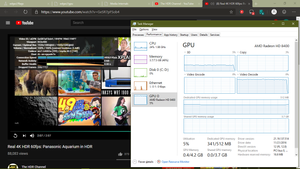

VonCrisp GurpreetV The thing about ANGLE is when I disabled D3D11 Video Decoder, Media Internal would show that it was using D3D11 for DXVA.
Edge Chromium Dev Version 75.0.131.0 64bit, ANGLE D3D11, D3D11 Video Decoder Disabled
- But if I set ANGLE to D3D9, Media Internal would show D3D9 for DXVA
Edge Chromium Dev Version 75.0.131.0 64bit, ANGLE D3D9, D3D11 Video Decoder Disabled
- Though with D3D11 Video Decoder enabled, D3D9 for DXVA would show but also the error for D3D11 config
Edge Chromium Dev Version 75.0.131.0 64bit, ANGLE D3D9, D3D11 Video Decoder Enabled
- So when I did tests for D3D9 and D3D11 Video Acceleration I set the ANGLE grpahics backend to the corresponding D3D setting to make sure that was being used for DXVA
Edge Chromium Dev Version 75.0.131.0 64bit, ANGLE D3D11, D3D11 Video Decoder Enabled
- And yes, setting ANGLE to D3D9 with D3D11 Video Decoder enabled and vice versa still resulted in framedrops
Edge Chromium Dev Version 75.0.131.0 64bit, ANGLE D3D9, D3D11 Video Decoder Enabled, SurfaceLayer Objects for Videos Disabled, WindowedEdge Chromium Dev Version 75.0.131.0 64bit, ANGLE D3D9, D3D11 Video Decoder Enabled, SurfaceLayer Objects for Videos Disabled, FullscreenEdge Chromium Dev Version 75.0.131.0 64bit, ANGLE D3D11. D3D11 Video Decoder Disabled, SurfaceLayer Objects for Videos Disabled, WindowedEdge Chromium Dev Version 75.0.131.0 64bit, ANGLE D3D11, D3D11 Video Decoder Disabled, SurfaceLayer Objects for Videos Disabled, Fullscreen
Honestly the whole hardware acceleration of Chrome/Chromium has been a bit of a mess for me and like you stated is totally tangled up and generally feels much slower than EdgeHTML.
Essentially this is why I always referred back to EdgeHTML on slower hardware.
Have there been any updates concerning this acceleration situation? Do you know if MS is looking at this?
- HotCakeXOct 07, 2019MVPI think since the last post on this thread is more than 6 months old and Edge insider gets a new feature and improvement every day, he should test that again.
I'm using Intel IGPU 630 inside Core i7 7700K,
Edge insider Canary takes full advantage of my GPU when watching videos. I tested it on YouTube with 8K 60 FPS videos and I have no frame drop at all, meanwhile my CPU usage was 50% and GPU usage was 80-90%,
Windows 10 and Graphic drivers latest versions.
