Forum Discussion

Discussion - Updating our interface with Fluent touches
- Jul 14, 2020
Thank you so much for all your feedback on the overall design of the new version of Edge, as it is invaluable to our getting the experience right. A common thread through this feedback has been a lot of discussion about the definition of “Fluent” design, and how it should apply to Microsoft products, so we wanted to share an update to provide some clarity. As opposed to a specific or static set of design rules, Fluent is intended to be an ever-evolving design system across Microsoft products. As the world around us continues to evolve, including devices, interaction models, user habits and expectations, the Microsoft design system must also evolve to meet the changing needs of our users. This means Fluent will not necessarily always represent everything that it did several years ago when the look and feel of the legacy version of Edge was first developed. You can learn more about the current direction of Fluent by visiting the Fluent Design System Page, which provides a summary of the design system as a whole, as well as how it applies to different platforms, applications and controls across Microsoft.
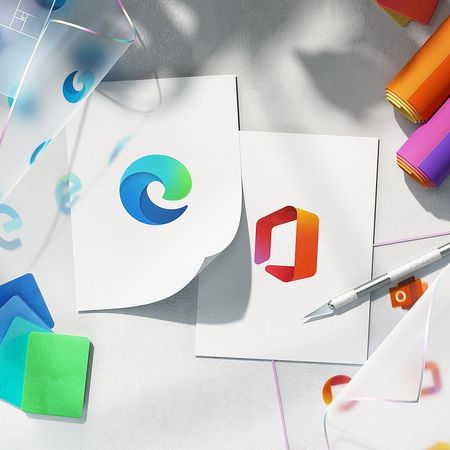
If you browse through the Fluent guidance at the link above, you’ll note that the new version of Edge is aligned with the current direction Fluent is going, and we will continue to evolve along with the design system and Microsoft as a whole. While Edge may be one of the first to put some of these new Fluent elements into practice, you will continue to see other products across the company update to reflect this direction as well. For example, you’ll notice that the latest Fluent designs are characterized by rounded corners across objects and controls, and the new version of Edge is consistent with that guidance. Another example is that there isn't a pivotal focus on transparency in the latest Fluent designs, and surfaces of the new version of Edge reflects this.
This is not to say we will never consider incorporating such aspects into our designs going forward, or perhaps offering options to customize the look and feel, but there are no plans to incorporate these elements into the default experience for all users at this time. However, there are other design investments on our roadmap to continue aligning with the broader Fluent direction, such as updating icons and illustrations across the product. Please continue to send your feedback on the overall Edge look and feel, including preferences and pain points, as we are always open to learning more and updating our direction based on the needs of our users.
- The Microsoft Edge Team


I'm sure once WinUI 3 reaches stable status and gets more feature, Win32 programs such as the new Edge will be able to look more beautifully and more UWP elements will be available to them.

https://www.windowscentral.com/new-microsoft-edge-wont-look-chrome
Posted today in r/MicrosoftEdge
https://www.reddit.com/r/MicrosoftEdge/comments/kz08bv/reality_looks_much_uglier_then_what_was_promised
- HotCakeXJan 24, 2021MVPYeah, well now the fluent design elements, the icons are here in Edge, but the big thing is the UI that is missing those touches. and the fact that they denied the acrylic UI instead of just saying planned or not decided yet, is kinda worrying.
 ShompiniceJan 17, 2021Iron Contributor
https://www.theverge.com/2016/4/27/11516440/microsoft-windows-10-mobile-terry-myerson-committed
-Microsoft claims it's ‘committed' to Windows 10 Mobile
Generally speaking, Microsoft will end the feature development in March, complete the RTM version in June, and push the official version in September. It is now less than a month before the deadline of 21H2(Sun Valley), and I think it is difficult for us to see real changes.
https://www.windowscentral.com/windows-10-sun-valley-features-everything-we-know
Probably the biggest change is the "alarm and clock"
- HotCakeXJan 24, 2021MVP
Alarm and clock app is just the begging Shompinice
there are more changes on the way, if you want to be the first one to see them, join the insider program, Sun Valley is just getting started.news articles from 2016 are no longer relevant in 2021.
- ShompiniceJan 25, 2021Iron ContributorNO. This is the latest achievement of Sun Valley, with a new design, especially the new toolbar and buttons. You will notice that the highlighting effect of the button has changed from "reveal" to "default"
This is a comparison of screenshots of the old and new interface
https://medium.com/changewindows/alarms-clock-10-2012-a-closer-look-3f47718bdfa6
This is the proposal and discussion of the new design from the XAML/WinUI3 community
https://github.com/microsoft/microsoft-ui-xaml/issues/4010
https://github.com/microsoft/microsoft-ui-xaml/pull/3947
https://github.com/microsoft/microsoft-ui-xaml/pull/3993
https://github.com/microsoft/microsoft-ui-xaml/issues/3957
https://github.com/microsoft/microsoft-ui-xaml/issues/3817
https://github.com/microsoft/microsoft-ui-xaml/issues/3546
https://github.com/microsoft/microsoft-ui-xaml/issues/3544
- ShompiniceJan 17, 2021Iron Contributor
 ,yes,that is Microsoft
- cheeseleaderJan 17, 2021Steel ContributorMicrosoft should put up a warning that actual product may differ* from the advertised product because their engineering team failed to realise what their UI team had in mind.
- ShompiniceJan 17, 2021Iron Contributor
I guess Microsoft’s design team keeps releasing the concept map to raise the expectations of users, in order to urge the engineering team to include UI improvements in the form as soon as possible. If you don’t do this, the change may be more difficult.