Forum Discussion

Don Cuthbert
Apr 09, 2020Brass Contributor
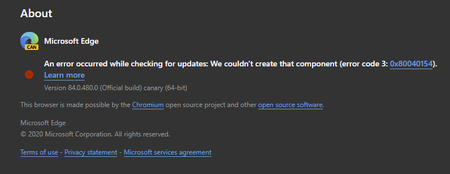
84.0.480.0 (Official build) canary (64-bit) shows error on About screen
An error occurred while checking for updates: We couldn't create that component (error code 3: https://go.microsoft.com/fwlink/?linkid=2068169&0x80040154). Version 84.0.480.0 (Official build) canary ...
- Apr 14, 2020Thanks but it was always an option for everyone at any time, not new to this.
this problem is fixed in the next Canary updates. also the updater works using these methods which is even better than the normal updater since user can set it to check for updates automatically every hour or every minute.
https://techcommunity.microsoft.com/t5/discussions/84-0-480-0-official-build-canary-64-bit-shows-error-on-about/m-p/1304083/highlight/true#M28779
https://techcommunity.microsoft.com/t5/discussions/84-0-480-0-official-build-canary-64-bit-shows-error-on-about/m-p/1303650/highlight/true#M28766


Ataemonus
Apr 13, 2020Copper Contributor
Same things happens since version 480, was the same with 481 and now the one today, 484 is the same.
Not happy with this.
Not happy with this.

derekamoss
Apr 13, 2020Iron Contributor
Ataemonus Than don't run the canary build if you aren't happy maybe?