Forum Discussion

OMG - They DO listen! Pin it right on
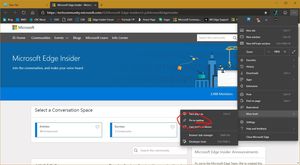

V-FRROME Another observation.
Although the pinned site opens as a normal browser tab instead of a a new "app" window, it appears that an app is still being created. This is indicated by the appearance of the pinned sites in the Recently Added and alphabetical listing of the Start menu. My view is that pinned sites should not appear as apps or be added to the Start list.

My view is that pinned sites should not appear as apps or be added to the Start list.
Absolute agree. I also think adding website shortcuts to Taskbar is a wrong user habit that should be discouraged by professional developers like Edge team given large variety of tasks performed by a typical PC.
Desktop Taskbar is for most often used and currently open apps. Adding webpage shortcuts to it causes unneeded clutter. Browser Favs Bar is for most often opened websites. Placing their links anywhere else doesn't provide faster access. Next site also faster to open from a New Tab Dial or Favs Bar then from Start Menu or Taskbar.
Would you share how many websites and for what reason do you have pinned namely to Taskbar? 😉
IMHO the devs should collect telemetry on browser feature usage stats, and actively remove seldom used features, at least from common access places to easy clutter.
- ms4132Jun 21, 2019Iron Contributor
sambul95 There are many different ways that individuals work and what they work with also differs. From just the people around me, some people rely on Start to access tools. Others pin many things to the desktop. Others keep many open tabs in the browser. Others, like me, use the taskbar as a quick launch.
Most of my working day is spent in Outlook, Word or Excel. I don't have active browser windows for a large percentage of the day. From time to time I need or want to take a quick look at something in a browser window, which I then close. Examples would be operational dashboards or a weather site.
For my particular work environment and way of working, when using an item pinned to the taskbar one click takes me straight to the site I need. I keep my taskbar on top and disable autohide. For me, other approaches take more clicks.
Bookmark in Browser - click to open browser, click to open bookmark. Actually usually two clicks since I organize my bookmarks in folders.
Desktop - click to get to the desktop if the shortcut is behind my active window, click to open the shortcut.
Start Menu - click to open the start menu, click to open the shortcut (tile).
While there may be other approaches or shortcuts, this is what works for me. And to address the other part of your question, I have about five items pinned to the taskbar and have used this feature in Internet Explorer, Edge Legacy and now Edge Canary.
In my view the browser is like any other application which I can pin to the taskbar, such as Word, Excel or Outlook.
- sambul95Jun 21, 2019Iron Contributor
In my view the browser is like any other application which I can pin to the taskbar, such as Word, Excel or Outlook.
I've 4 browsers pinned to the Taskbar, and plenty of other frequently used apps. Adding webpage shortcuts to the Taskbar seems redundant to me, or requiring some vertical Favorites Bar (similar to Desktop Toolbar) pinned to the Taskbar with all webpage shortcuts added to it. If you add 5 webpage shortcuts to the Taskbar plus frequent app shortcuts, on a laptop screen there would be no extra space on it for currently open apps.
Your use of webpage shortcuts from Taskbar rather resembles using web apps instead of browser. That's why they are also added to Start Menu. 😉 How big is your monitor? On a laptop, would you benefit from a vertical Favorites Bar added to the Taskbar, which opens on mouse hover?
- ms4132Jun 22, 2019Iron Contributor
sambul95 I use this same approach on a number of different form factors. Resolutions range from 1024x768 through 4k. Screen sizes vary from 10.1" to 65". Types of display include tablet, laptop, TV.
I have different combinations of browsers (up to about five) and sites (up to about five) on different systems, but I have yet to run out of room on my taskbar, even with regular (not small) icon size.
While the usage may be similar to web apps, it works better for me to have the item opened as a tab instead of in what seems to me to be an artificial new framed window that hides normal browser controls. To me I am accessing a web page, not a packaged app, so I prefer normal browser navigation.
It is not clear to me how a vertical favorites bar opening on hover would be an improvement. I would need two actions (hover to expand, point and click) to accomplish what I can do with one click by pinning the specific site to the toolbar (point and click).