Forum Discussion

tistou
Oct 07, 2019Bronze Contributor
Office XML Handler
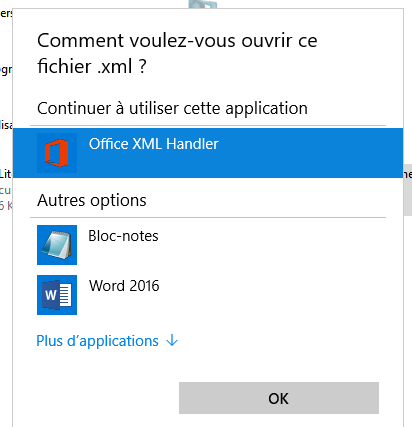
Hello Whenever I try to open an XML file with Office XML Handler, I have this window coming back every time If I remember correctly, the XML files opened with the default browser wit...

HotCakeX
Oct 08, 2019MVP
I found some more information about it
"This XML file does not appear to have any style information associated with it. The document tree is shown below.
You can ignore this completely. It doesn't mean anything important and can be safely ignored. For the technical description of what it means, see below.
XML is a way of marking up a file to give the text meaning. For example, you can include a URL in a text file and surround it by the XML tags <url> and </url>. This would give an application instructions on how to handle the text (ie treat it as a URL).
An advanced feature of an XML file is to give styling information. This means that the XML document can be displayed to you in your web browser with fancy font styling to make it look nice. Since an XML file is mostly for inter-application communications, it doesn't need any kind of styling. When you go to view the XML file in your browser, your browser is just telling you that there is no styling information so it is displaying the XML file as is."
hope that helps
"This XML file does not appear to have any style information associated with it. The document tree is shown below.
You can ignore this completely. It doesn't mean anything important and can be safely ignored. For the technical description of what it means, see below.
XML is a way of marking up a file to give the text meaning. For example, you can include a URL in a text file and surround it by the XML tags <url> and </url>. This would give an application instructions on how to handle the text (ie treat it as a URL).
An advanced feature of an XML file is to give styling information. This means that the XML document can be displayed to you in your web browser with fancy font styling to make it look nice. Since an XML file is mostly for inter-application communications, it doesn't need any kind of styling. When you go to view the XML file in your browser, your browser is just telling you that there is no styling information so it is displaying the XML file as is."
hope that helps

tistou
Oct 08, 2019Bronze Contributor
Ok thanks for the explanation but the "formatting" is just horrible compared to IE for example
And I do not like to have an error or warning message, for me it's that something is wrong 🙂
I would watch with Google Chrome see how it's
And for XML files that does not open, I'll indicate it by feedback, so
Thanks
- tistouOct 26, 2019Bronze Contributor
Hello
If I open an XML file with Canary then "Show Source Page", the layout is better
Is there a "path" to open Canary directly in "source page" ?
Something to put in front of or behind the path of .exe
Thanks
- HotCakeXOct 09, 2019MVPYes, providing that IE is installed and available on the system
- HotCakeXOct 08, 2019MVPYw, As you wish 🙂