Forum Discussion

cjahn50
Apr 01, 2023Iron Contributor
New tab not working in Edge Canary
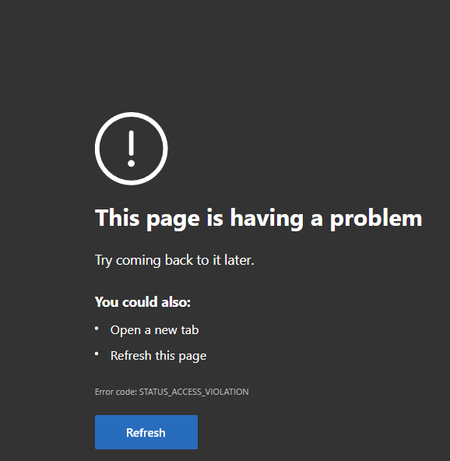
Just updated to Version 113.0.1773.0 (Official build) canary (64-bit) and opening a new tab is not working. This is what I see when opening a new tab

DavidWarner55
Apr 01, 2023Copper Contributor
If you are having issues with opening new tabs in Microsoft Edge Canary, here are a few steps you can try:
Check for updates: Make sure you have the latest version of Edge Canary installed. Open the Edge menu (three horizontal dots in the top right corner) and select "Help and feedback" > "About Microsoft Edge" to check for updates.
Clear cache and cookies: Clearing your browser cache and cookies can sometimes resolve issues with opening new tabs. To do this, open the Edge menu, select "Settings" > "Privacy, search, and services," and under "Clear browsing data," select "Choose what to clear."
Disable extensions: Some extensions may interfere with new tab functionality. Try disabling any extensions you have installed to see if this resolves the issue.
Reset Edge settings: Resetting Edge to its default settings can sometimes fix issues. To do this, open the Edge menu, select "Settings" > "Reset settings" and follow the prompts.
If none of these steps resolve the issue, you may need to uninstall and reinstall Edge Canary.
Check for updates: Make sure you have the latest version of Edge Canary installed. Open the Edge menu (three horizontal dots in the top right corner) and select "Help and feedback" > "About Microsoft Edge" to check for updates.
Clear cache and cookies: Clearing your browser cache and cookies can sometimes resolve issues with opening new tabs. To do this, open the Edge menu, select "Settings" > "Privacy, search, and services," and under "Clear browsing data," select "Choose what to clear."
Disable extensions: Some extensions may interfere with new tab functionality. Try disabling any extensions you have installed to see if this resolves the issue.
Reset Edge settings: Resetting Edge to its default settings can sometimes fix issues. To do this, open the Edge menu, select "Settings" > "Reset settings" and follow the prompts.
If none of these steps resolve the issue, you may need to uninstall and reinstall Edge Canary.
 cjahn50Apr 01, 2023Iron ContributorUninstalling and reinstalling worked. But I had to once again delete/rename \Users\<your username>\AppData\Local\Microsoft. It's a pain, but it "fixed" the problem - so far.
- RedBetaApr 02, 2023Iron Contributor
It fixed it for me for one day...then it broke again.
For me it happens after computer has been in sleep mode also note that ntp.msn.com responded with<h2>Our services aren't available right now</h2><p>We're working to restore all services as soon as possible. Please check back soon.</p>0MQsqZAAAAAAbxzPuT3UkTKl+ndlrii4BUEhMMzBFREdFMDExNgBFZGdl
- cjahn50Apr 04, 2023Iron ContributorSince unistalling and reinstalling I have not had anymore issues. And that includes the last updates.
