Forum Discussion

New Feature in Edge Apps
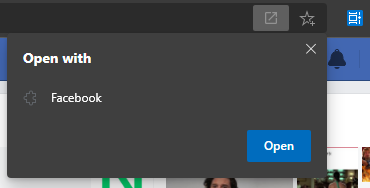

I don't see how it is useful if Edge can't do it automatically
there should be an option in here
"always open in that app"
so whenever I type Bing.com, the pinned PWA launches.
If I had to select the option manually every time, I could just click on the pinned app on taskbar or start menu instead, it'd be faster.

HotCakeX Where this feature useful is, let me explain with an example...
Say I installed facebook.com, and want to open my saved posts page(facebook.com/saved) in the Facebook app window.
For that, I will open the link in browser & open it in the app. This is handy, otherwise I would have to install that page as an app, or would have to open Facebook app first, then open the saved pages.
This is where the feature has its worth, like the 'Apps for Websites' feature in Windows 10 & 'Open supported links' on Android.
As for the setting defaults, it can be implemented as well.
- HotCakeXFeb 29, 2020MVPThat's good for you, but for me it's useless and It can only be useful for me if It's done automatically, otherwise it's just extra unnecessary steps
- Rohit YadavFeb 29, 2020Bronze Contributor
HotCakeX it will be even better if can be performed automatically, but then the pages need to be specified which are to be opened. However, with the current state of the feature, you can open any link you want to.
A similar feature is in the works for handling App opening protocols. If they extend it to apps, it would be better.
https://textslashplain.com/2020/02/20/bypassing-appprotocol-prompts/
- HotCakeXFeb 29, 2020MVPThat article is totally different than PWAs in Edge...
Edge with PWAs is doing a simple redirection, those protocols an handlers are for installed apps.