Forum Discussion

CoolMysticIon
Jan 30, 2020Copper Contributor
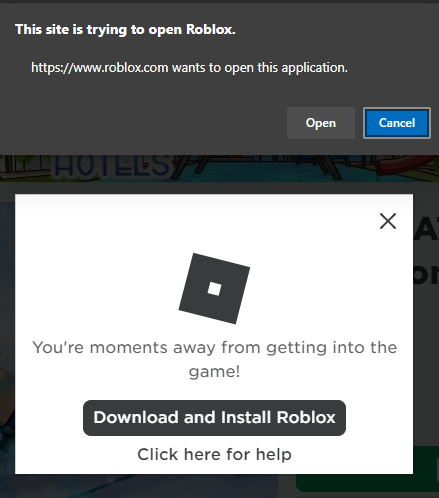
Need help to always open this apps
Anyone knows how to disable this for microsoft edge canary version 81.0.408.0?

HotCakeX
Jan 30, 2020MVP
Hi,
Ideally Edge should have a 3rd option or a checkbox so you could select it to "remember" your choice.
but for now, try these settings:
edge://settings/content/handlers
edge://settings/content/unsandboxedPlugins
You can also add that website's URL to the blocked list of notifications in here:
edge://settings/content/notifications
Ideally Edge should have a 3rd option or a checkbox so you could select it to "remember" your choice.
but for now, try these settings:
edge://settings/content/handlers
edge://settings/content/unsandboxedPlugins
You can also add that website's URL to the blocked list of notifications in here:
edge://settings/content/notifications
 CoolMysticIonJan 30, 2020Copper ContributorIt does not work for me after i did the steps above