Forum Discussion

SLDimuthu1
Feb 28, 2021Tin Contributor
MS Edge Beta
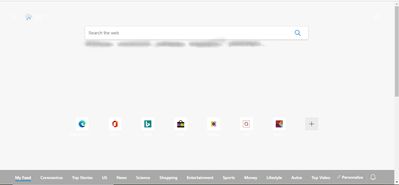
MY MS Edge Beta home page Background is not showing
- You can do 2 things at this point, try uninstalling Edge beta, (Delete user data when asked during uninstall), then reinstall it fresh.
if the problem still exists, you can use the feedback button on Edge to report it
Shortcuts: Alt + shift + i
it will send diagnostic data about your Edge that can help developers solve the problem.

13 Replies
 SLDimuthu1Tin Contributorimage of day is not working but my image is working
- by original Edge are you referring to Edge legacy or the new Edge stable channel?
did you try restarting your computer or resetting Edge settings? edge://settings/reset
also, you can put your comments into 1, there is also an edit button 🙂- SLDimuthu1Tin Contributor
HotCakeX I try all way but original edge and Dev show background but Beta is not image of day is not working. I try resetting Edge settings and restarting my computer. 1st is original 2nd is beta. 3rd image is (my edge home page background I try all way you say).
- SLDimuthu1Tin Contributororigenal edge show background but Beta is not
- SLDimuthu1Tin Contributori try all way
- Hi,
did you try using the gear icon on the top right corner of the screen?
if you have problem with it and not showing up, you can try restarting your computer,
if that doesn't fix it, try resetting Edge: edge://settings/reset