Forum Discussion

Microsoft Edge Dev Crashing
 Jun 18, 2019
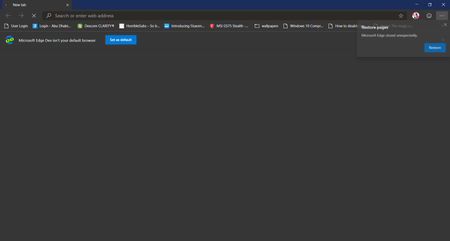
Stephan Swinford I'm having crashing issues all of sudden now as well. I've been using the canary branch of Edge since it released day one. Not a single issue till now. I've found a way to reproduce what is causing it to crash for me. I have youtube bookmarked in my favorites bar (favorite bar is turned on/set to show), if i go to the address bar and type youtube.com and hit enter Edge crashes instantly. If I remove YouTube from my bookmarks and do the exact same thing it dose not crash. Have no clue why that would be. Same thing with any website that is in my bookmark bar. If its in the bookmarks bar and I type it in the address bar and hit enter edge crashes. I've done a re install, wiped history/cache etc. This didn't start it seems until version 77.0.193.0

HiKhalidA
Press Windows key + R and type: C:\Users\%username%\AppData\Local\Packages.
Open the folder labeled Microsoft.MicrosoftEdge_8wekyb3d8bbwe (Or something silmilar) and delete all of its content.
Next, click Start and type: powershell and right-click PowerShell and select Run as administrator.
This command will reinstall Microsoft Edge:
Get-AppXPackage -AllUsers -Name Microsoft.MicrosoftEdge | Foreach {Add-AppxPackage -DisableDevelopmentMode -Register “$($_.InstallLocation)\AppXManifest.xml” -Verbose}
Thank you
Dav,

Deleted
Morning, buddy!
It worked for me, my case was similar.
Thanks!!