Forum Discussion

Microsoft Edge Dev Crashing
 Jun 18, 2019
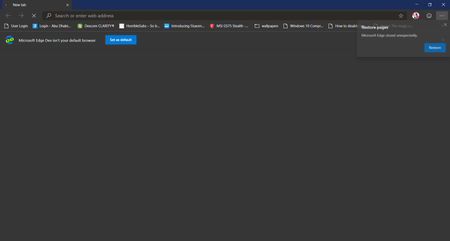
Stephan Swinford I'm having crashing issues all of sudden now as well. I've been using the canary branch of Edge since it released day one. Not a single issue till now. I've found a way to reproduce what is causing it to crash for me. I have youtube bookmarked in my favorites bar (favorite bar is turned on/set to show), if i go to the address bar and type youtube.com and hit enter Edge crashes instantly. If I remove YouTube from my bookmarks and do the exact same thing it dose not crash. Have no clue why that would be. Same thing with any website that is in my bookmark bar. If its in the bookmarks bar and I type it in the address bar and hit enter edge crashes. I've done a re install, wiped history/cache etc. This didn't start it seems until version 77.0.193.0

KhalidA- I started having this issue today as well where Edge Dev is crashing as soon as I start it. I did have a Windows Insider (Fast) update finish installing this morning. Not sure if related or not. I've tried re-installing Edge Dev, but that did not work.
- sean8102Jun 18, 2019Brass Contributor
Stephan Swinford I'm having crashing issues all of sudden now as well. I've been using the canary branch of Edge since it released day one. Not a single issue till now. I've found a way to reproduce what is causing it to crash for me. I have youtube bookmarked in my favorites bar (favorite bar is turned on/set to show), if i go to the address bar and type youtube.com and hit enter Edge crashes instantly. If I remove YouTube from my bookmarks and do the exact same thing it dose not crash. Have no clue why that would be. Same thing with any website that is in my bookmark bar. If its in the bookmarks bar and I type it in the address bar and hit enter edge crashes. I've done a re install, wiped history/cache etc. This didn't start it seems until version 77.0.193.0
- Stephan SwinfordJun 19, 2019Steel Contributor
sean8102 My issue seemed to be a little different since Edge would crash seconds after launching, so I couldn't make changes to favorites. I ended up having to not only uninstall, but also delete the Edge Dev folders from appdata and then reinstalling.
 KhalidAJun 19, 2019Tin Contributor
Stephan Swinford Well What I did was Right Click on its icon on the desktop and use compatibility mode for Windows 8 that seems to temporarily stop the Broswer From Crashing but Sync is not going to work so Since I have so many YouTube Bookmarks I exported the Bookmarks then erased them all you can also Import them later if you want
- KhalidAJun 18, 2019Tin ContributorThank you it actually worked
- sambul95Jun 17, 2019Iron Contributor