Forum Discussion

ianwuk
Apr 25, 2019Iron Contributor
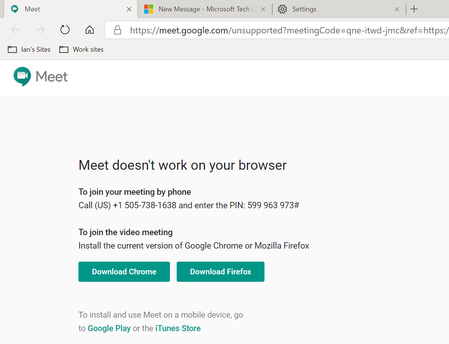
Latest Dev Chromium build no longer compatible with Google Hangouts?
Since upgrading to the latest Edge Chromium Dev build (75.0.131.0), if I click a link from Google Calendar to start a Google Meet meeting (Google Hangouts) it now says that the browser is not compati...
- Apr 26, 2019
The change was apparently at Google's end. If you alter the UA string to remove the Edg/ component, Google Meet works as before:
https://www.windowscentral.com/microsoft-edge-chromium-suddenly-stops-working-google-meetIt looks as if all that is needed is an addition to the collection of domains that work best with Chrome:
https://www.bleepingcomputer.com/news/microsoft/the-new-microsoft-edge-sometimes-impersonates-other-browsers/


ianwuk
Apr 26, 2019Iron Contributor
Thanks so much for the reply, Noel Burgess.
Can we manually edit that config file that it uses? Or just change the user agent each time I want to use Google Hangouts?
Can we manually edit that config file that it uses? Or just change the user agent each time I want to use Google Hangouts?

Eric_Lawrence Microsoft
Apr 26, 2019Microsoftianwuk The user-agent spoofing code is not user-configurable (it's pushed from Microsoft's servers). There are a variety of automatic UA-spoofing extensions available for Chromium-derived browsers, but we expect that this issue will get resolved soon.
- ianwukApr 26, 2019Iron ContributorThanks Eric_Lawrence for taking the time to reply - much appreciated! Microsoft help have also acknowlewdged this and say that they are trying to work on something. I guess we will see.