Forum Discussion

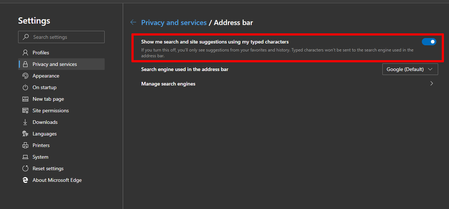
Is 'search and site suggestion' working properly?
- DeletedSep 18, 2019
Hi HotCakeX and Elliot_Kirk
I found the cause of the problem: it was more or less my fault, but not entirely, lol

Do you still remember a bug that happened a few weeks ago when the Google search engine stopped working on Edge-Chromium? (Even with Google's search engine being selected, Bing's search engine was used.)Well, when that bug happened I got around the problem by manually adding a search engine to Google with the following URL:
{google:baseURL}search?q=%s&{google:RLZ}{google:acceptedSuggestion}{google:originalQueryForSuggestion}{google:assistedQueryStats}{google:searchFieldtrialParameter}{google:searchClient}{google:sourceId}{google:instantExtendedEnabledParameter}ie={inputEncoding}
The bug was fixed, but I forgot to check the search engines. I took a look now and I saw that besides that search engine that I had created for Google, now there was the "default" Google search engine with this URL:
{google:baseURL}search?q=%s&{google:RLZ}{google:originalQueryForSuggestion}{google:assistedQueryStats}{google:searchFieldtrialParameter}{google:iOSSearchLanguage}{google:searchClient}{google:sourceId}{google:contextualSearchVersion}ie={inputEncoding}
Note that the URLs are not exactly the same. I just had to make this last URL the default search engine again and now everything is working as it should.
Now it's working in Edge-Chromium:

Deleted
Hi 🙂
when I type in the same thing in my browser I get this result:
Version 79.0.278.0 (Official build) canary (64-bit)
there are various flags related to the omnibox (the address bar) but I haven't activated any of them.
you can first update your Edge and then try again, hopefully it will work!
- DeletedSep 18, 2019Not applicable
Hi HotCakeX and Elliot_Kirk
I found the cause of the problem: it was more or less my fault, but not entirely, lol
Do you still remember a bug that happened a few weeks ago when the Google search engine stopped working on Edge-Chromium? (Even with Google's search engine being selected, Bing's search engine was used.)Well, when that bug happened I got around the problem by manually adding a search engine to Google with the following URL:
{google:baseURL}search?q=%s&{google:RLZ}{google:acceptedSuggestion}{google:originalQueryForSuggestion}{google:assistedQueryStats}{google:searchFieldtrialParameter}{google:searchClient}{google:sourceId}{google:instantExtendedEnabledParameter}ie={inputEncoding}
The bug was fixed, but I forgot to check the search engines. I took a look now and I saw that besides that search engine that I had created for Google, now there was the "default" Google search engine with this URL:
{google:baseURL}search?q=%s&{google:RLZ}{google:originalQueryForSuggestion}{google:assistedQueryStats}{google:searchFieldtrialParameter}{google:iOSSearchLanguage}{google:searchClient}{google:sourceId}{google:contextualSearchVersion}ie={inputEncoding}
Note that the URLs are not exactly the same. I just had to make this last URL the default search engine again and now everything is working as it should.
Now it's working in Edge-Chromium:
 delsabawyOct 30, 2019Copper Contributor
Hey,
I used your fixed URL but I still don't get any suggestions when I search 😞 Any other ways to try and fix this??
- vcfvctNov 30, 2019Copper ContributorSame here, no suggestion words no matter which search engine I use...
Using `Version 79.0.309.30 (Official build) Beta (64-bit)` on MacOS Mojave
- HotCakeXSep 18, 2019MVP
That's good! 👍