Forum Discussion

Install Windows 10 Insider
#
Hello
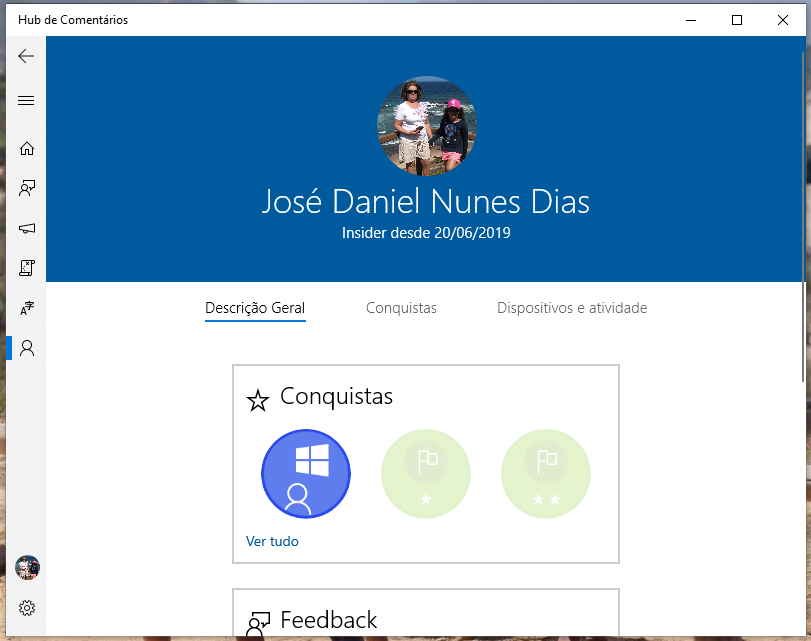
I have already followed all the instructions for installing Windows 10 Insider.
In particular:
Settings> Update and Security> Windows Insider Program
You should click "Introduction" or "start" to access the latest build.
But neither "Introduction" or "start" appear visible.
I am on the PC as an Administrator, whose account is already enrolled in the Windows Insider Program with my Microsoft account.
Waiting instructions.
Thank you.
#
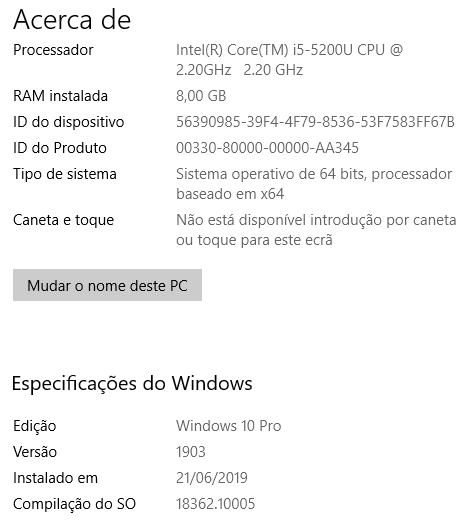
You’re in 18362.1005. That’s the slow track update that came out yesterday. You’re good.
This is the one (before yours) that came out July 1st: https://blogs.windows.com/windowsexperience/2019/07/01/announcing-windows-10-insider-preview-build-18362-10000-19h2/#gpDCteXpPSlBbfxX.97
13 Replies
- Drew1903Silver Contributor
saiDleinaD
Buenos dias,
Usted está, ya, en la última Slow Track Insider Build
Cheers,
Drew- saiDleinaDCopper Contributor
#
Hola @ Drew1903
Sí, pero no está instalado.
Este es el problema: está preparado, se ha realizado el registro, pero no se quiere instalar.
Gracias
#
- Rohit YadavBronze ContributorSign out from there, and sign in again. See what happens next?
- Drew1903Silver Contributor
The person is, already, on the latest Slow Track Build. That's why he's has further nothing to do.
Btw, the step of going through Run for things in Win10 is not necessary. Win+x+y or RtClk Win logo > System > About. Or have the Settings icon pinned to taskbar > System & About. Many things are often (more) directly accessible than, going through Run, anymore.
Cheers,
Drew- saiDleinaDCopper Contributor
- saiDleinaDCopper Contributor
#
Hi Rohit Yadav
I unlinked my insider account.
I re-joined the account.
Everything stays the same.
The option to start the installation does not appear.
I await new tips.
Thank you very much.
# AnthonySteel Contributor
saiDleinaD Go to "Run" and type in winver and a screen should come up like the one I attached below. It will tell your your current version which you can tell us here. You might already be on the build lyou're suppose to be on? I'm on the Slow Ring and got updated today to the newest Slow Ring build. The fast ring are on a higher build but I cant recall at the moment which one they're at.