Forum Discussion
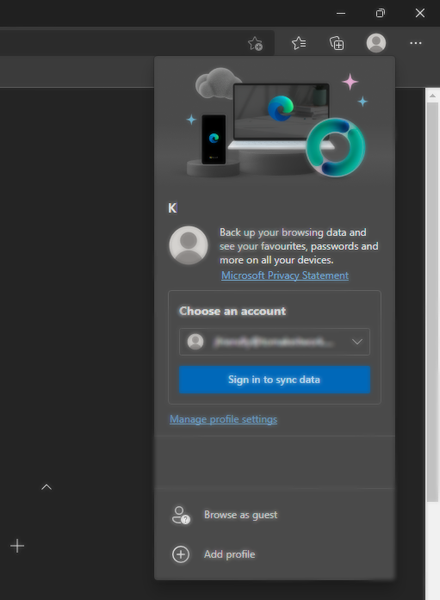
How to remove autofill email from 'choose an account' part of Profile page in Microsoft Edge?
The thing which worked for me, is well kinda starting from scratch, I recommend you to export your passwords to some csv file or something to import it later during the process, then you can delete the csv and stuff, dont try to backup data though as it will backup whole data and can bring back those annoying login suggestions in Edge too,
Otherwise if you have multiple browsers make a new clean profile in your other browser and import your edge stuff while exporting your passwords to a csv file, then you can reimport your logins from the csv file
(it can risk the emails login suggestions to come back again so I recommend you to manually login to websites by using the CSV as a reference for your passwords and re-logging-in into websites back manually, yeah a bit tedious but saves from the toolbar email-login suggestions.
So in my opinion its worth it, as in theory it should work as I have not tried the browser-profile-reimport thing yet, because I dont have critical login data on my PC so I just started fresh new beginning from scratch but yeah the below listed steps work as I have tried them.
But remember Edge should NOT be running during this process NOT EVEN IN BACKGROUND so I recommend to close Edge from the task manager too)
Step 1: press Win + R
Step 2: Enter %localappdata% and hit the Enter key
Step 3: Navigate to Microsoft/Edge from there, from within the Local AppData folder
Step 4: Delete User Data folder
Step 5: go back to Microsoft folder and navigate to Vault/(some random alphanumeric string) (For eg: Vault/A1B2CDEF-EF1H-IJ2K-LM3N... (some randomly long alphanumeric string as a folder name) folder, try to re-remember the date you tried to login into Edge (your own memory will be of great use here) and match your memory to the Date Modified column, if Date Modified column isnt there, unhide it by right-clicking any column within the list view and checkmark the Date Modified column and also checkmark File Type or Type column there and if you suspect that any VCRD (.vcrd) and VSCH (.vsch) file was around the date you tried logging into your Edge delete them even from the recycle bin but do NOT DELETE ANY VPOL (.vpol) file
Step 6: Now you can start you Edge browser but it will start as clean-as-new meaning all your Edge profile data will be lost though, but now those toolbar email-login suggestions will be gone forever.