Forum Discussion

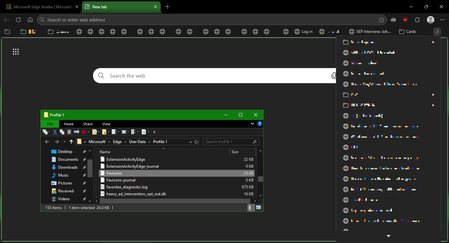
Favicons for bookmarks broken since Edge v149 update
 Jul 03, 2026
📣 Update, 3 July 2026:
✔ As of the latest 150.0.4078.48 update, the missing bookmark icons issue is fixed. You can once-again set "browsing history" to clear each time you close Edge, and icons will remain between sessions. 🥳
✔ As of the 149.0.4022.80 update, these issues were resolved:
• "Create QR code for this page" feature works again
• "Browsing history" in the "Clear browsing data" menu isn't always stuck on "Calculating..."✔ As of the 149.0.4022.62 update, these issues were resolved:
• moving the mouse-pointer to the top of the screen when Edge is in full-screen mode once-again shows the tabs and URL bar, and the double-arrow icon appears once-more to allow exiting full-screen mode;
• when users saved files to network-locations (\\server\share\folder), Edge would not open either the downloaded files, or the folder they were saved into; online reports said the .62 update fixed this
📣 Update, 26 June 2026:
❌ As of the latest 149.0.4022.98 update, the missing bookmark icons remains unfixed. Continue to set Edge not to clear your "browsing history" whenever you close it as the workaround.
✔ As of the 149.0.4022.80 update, these issues were resolved:
• "Create QR code for this page" feature works again
• "Browsing history" in the "Clear browsing data" menu isn't always stuck on "Calculating..."
✔ As of the 149.0.4022.62 update, these issues were resolved:
• moving the mouse-pointer to the top of the screen when Edge is in full-screen mode once-again shows the tabs, and URL bar, and you can use the double-arrow icon to exit full-screen mode;
• when users saved files to network-locations (\\server\share\folder), Edge would not open either the downloaded files, or the folder they were saved into; online reports said the .62 update fixed this
 appproJun 27, 2026Tin Contributor
dftf
thanks for this very timely update. I was just about to post to check if 98 did fix it.
I am still unchecked, I suggest people to just use the manual delete in settings every once in a while
thanks again