Forum Discussion

Favicons for bookmarks broken since Edge v149 update
 Jul 03, 2026
📣 Update, 3 July 2026:
✔ As of the latest 150.0.4078.48 update, the missing bookmark icons issue is fixed. You can once-again set "browsing history" to clear each time you close Edge, and icons will remain between sessions. 🥳
✔ As of the 149.0.4022.80 update, these issues were resolved:
• "Create QR code for this page" feature works again
• "Browsing history" in the "Clear browsing data" menu isn't always stuck on "Calculating..."✔ As of the 149.0.4022.62 update, these issues were resolved:
• moving the mouse-pointer to the top of the screen when Edge is in full-screen mode once-again shows the tabs and URL bar, and the double-arrow icon appears once-more to allow exiting full-screen mode;
• when users saved files to network-locations (\\server\share\folder), Edge would not open either the downloaded files, or the folder they were saved into; online reports said the .62 update fixed this

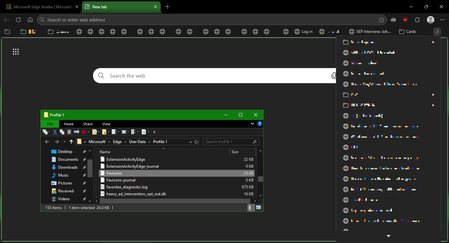
I have already created a new profile and tried deleting the favicons and favicon-journal files, neither of those options work from my testing. I do have "clear browsing history on exit" enabled and changing that so far seems to be the culprit (great find), will need some time to test as before I would get icons for a majority then after opening a few tabs, over time they would slowly start disappearing, but so far looks promising.
Sad they cannot even introduce a new semi-useless feature (show icon only) without breaking something, I guess QA is a thing of the past and we are all just beta testers now.
Update: After 4 hours of solid usage no icons have disappeared, I did have to visit some sites again to repair the icons (YouTube, Amazon) but so far they all are sticking, so it does look like the clear browsing history on close is the cause.
Again, thanks to dftf-wip for all your testing and updating of the issue it is greatly appreciated.
Edit: Updated

I've learned a long time ago (this includes Intel too) that Microsoft does these mess ups...
They don't tell anyone
People (including me) go crazy trying to fix something on their machine that IS NOT BROKEN.
People (including me) just make things worse.
Someone finally on a chat board comes up with a temporary fix.
People keep posting insane fixes that rarely work.
Finally after days/weeks/never Windows tells us it is a "known" issue and they will fix it - sooner or later
- but we never known when.
dftf posted to just turn off Clear Browsing on close. after a close and reboot edge - THAT WORKS.
imo JUST DO THAT and wait for Microsoft to fix edge.
UGH